- A* version: 5.4.6
- Unity version: 6000.3.7f1
Agent script: AIPath + RVOController
I’m trying to integrate the A* Pathfinding Project Pro with Recast graphs. Here is a screenshot showing the weird path calculation.
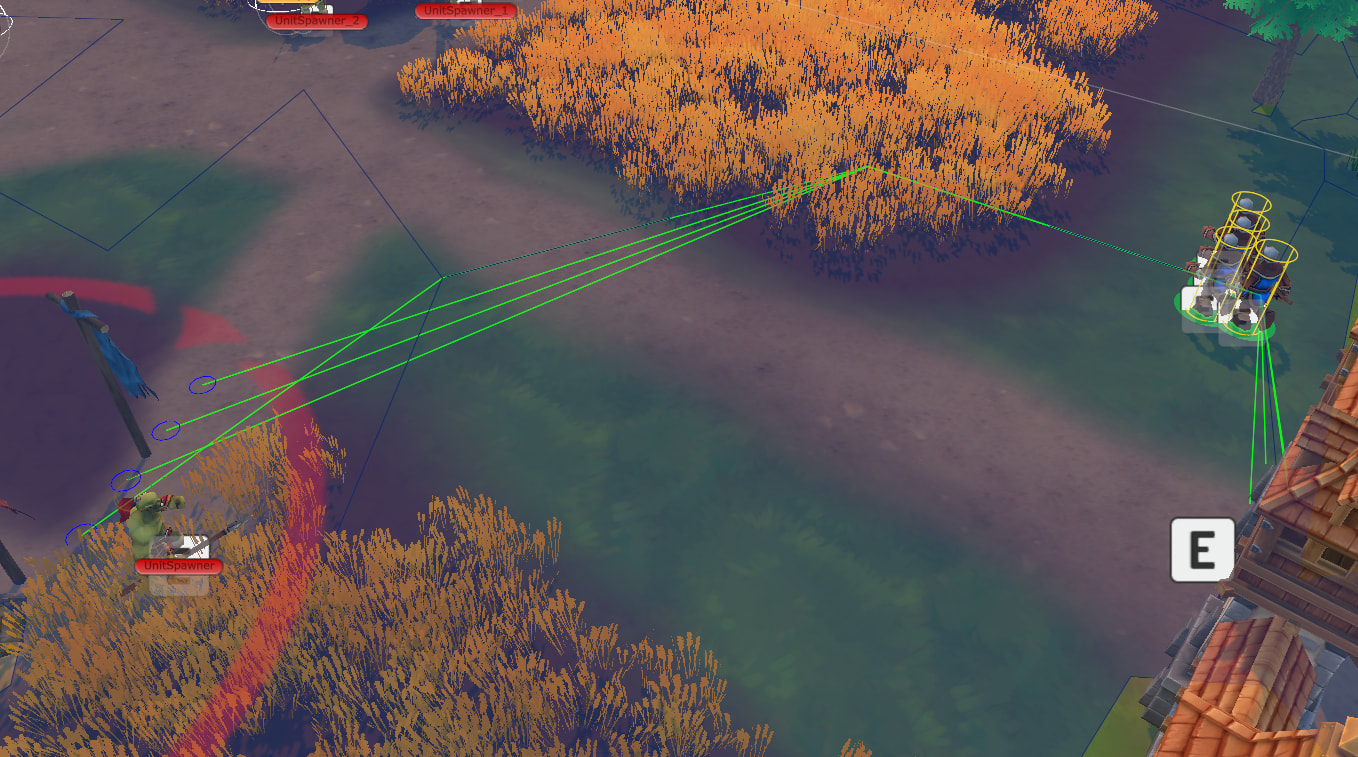
When I switch the Debug mode in the graph to ‘Show connections’, I can see some lines which, I think, are used for navigation.

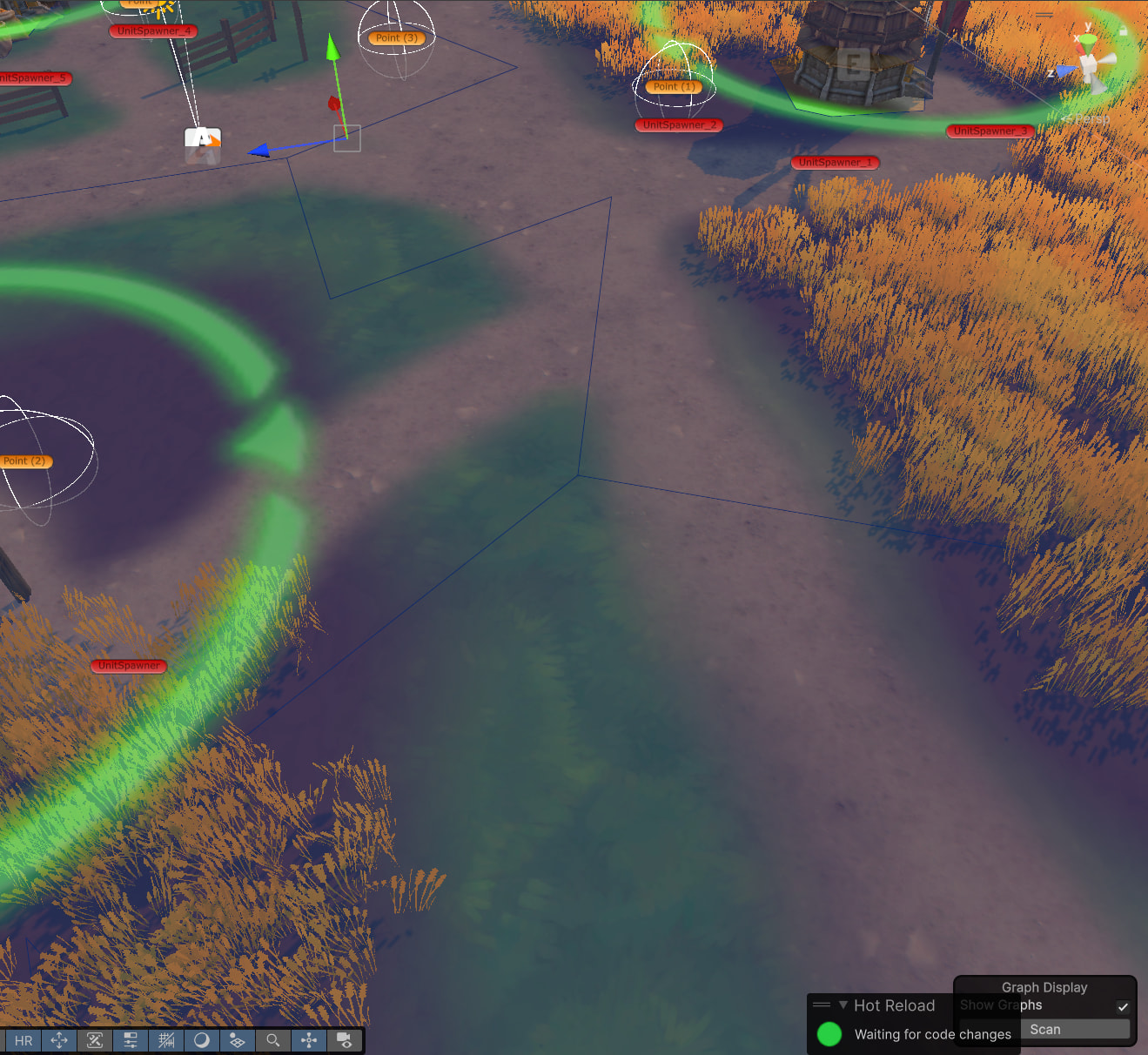
I have a plain terrain without any height modifications.
What I tried:
- Change rasterize terrains, rasterize colliders and meshes checkboxes.
- Change character radius, character height, max step height, max slope.
- Change voxel size, Use Tiles mode, Max Border Edge Length, Edge Simplification, Min Region Size, Round Collider Detail. These parameters has affect to connections but they not removed still causing navigation issue
Also my characters have jittering during movement, which makes it feel like the game is running at a low framerate (even though it’s actually around 200 FPS in the editor).
P.S. I have a strong feeling that I’ve just missed some little detail, which makes me feel like a fool, but at this point I have no idea how to fix this movement and make my units move straight to a point when there are no obstacles in front of them.