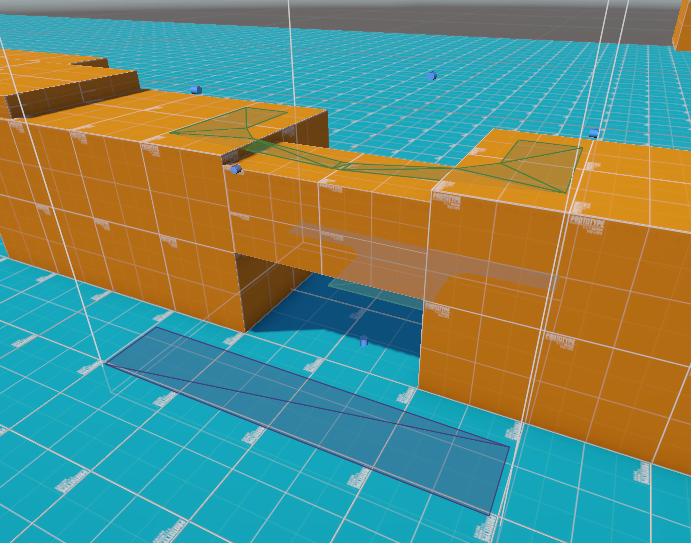
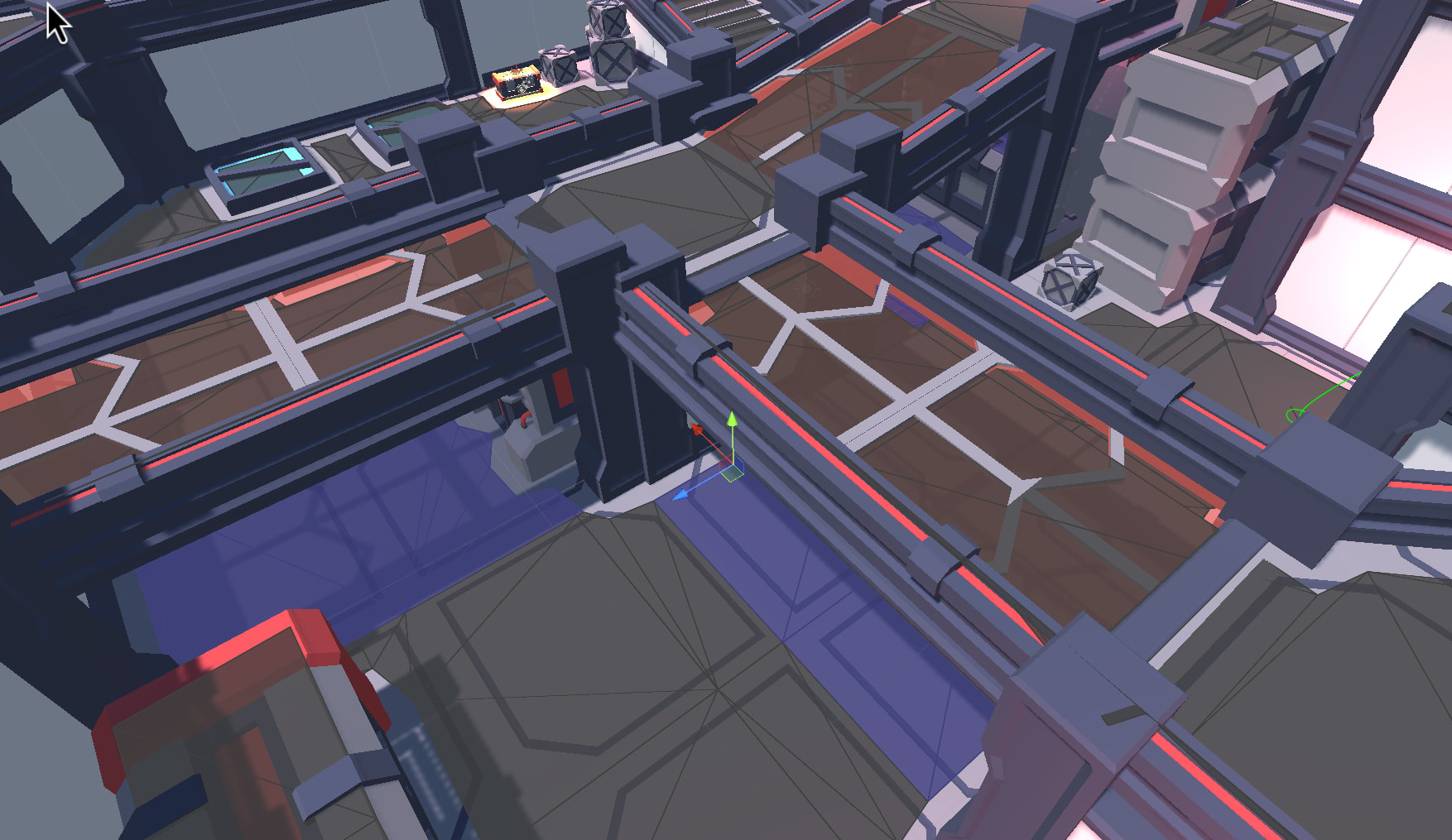
Prevent RecastGraph from merging navmesh polygons across clearance / height thresholds (during generation)

  • A* version: 5.4.5 Pro
  • Unity version: 6000.3.1f1

Hi,

I’m working on an RTS-style game in Unity using A* Pathfinding Project Pro with a RecastGraph. I have a traversal system where agents can automatically switch posture (stand / crouch / prone), and traversal legality (and cost) depends on vertical clearance rather than simple walkability.

Recast’s region merging + contour tracing + polygonization simplifies large, flat areas into single convex polygons. This works great for normal pathfinding, but it destroys information I need later: A single large polygon may contain areas with different vertical clearances. Example: part of a room allows standing (clearance ≥ 1.9m), part only allows crouching (clearance ≈ 1.2m). After polygonization, this entire area becomes one node, and I can no longer distinguish the clearance bands reliably. I don’t want to use separate navmeshes per stance because I might have many types of agents with many types of stances.
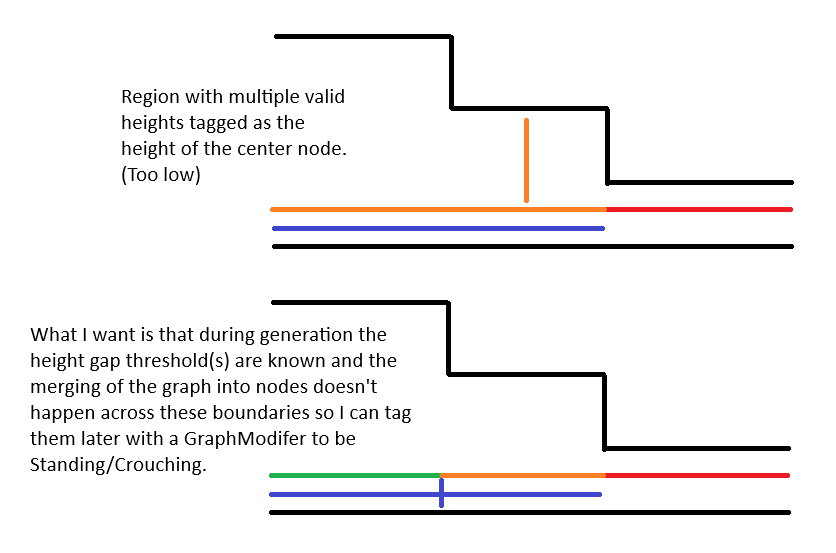
I already tag nodes after generation based on clearance but this merging is the thing that causes issues. I don’t think GraphModifier has a hook in the middle of generation before polygon merging because OnPostScan() is after the whole graph is built. Is there a way I could hook in during generation and stop the merging of nodes across multiple height difference thresholds so that the agent can still traverse across those height differences but that the mesh stays complex enough so that I can tag it with the appropriate tag for walk-ability cost? Thanks for the help!
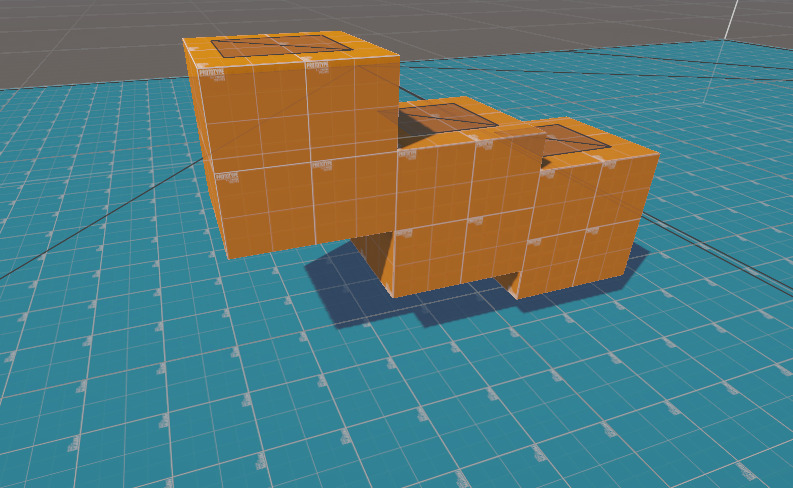
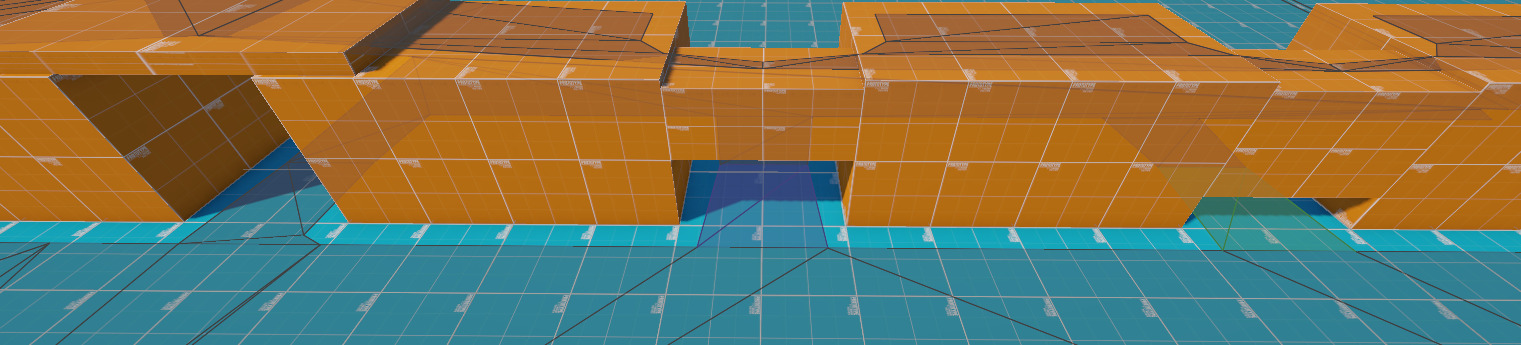
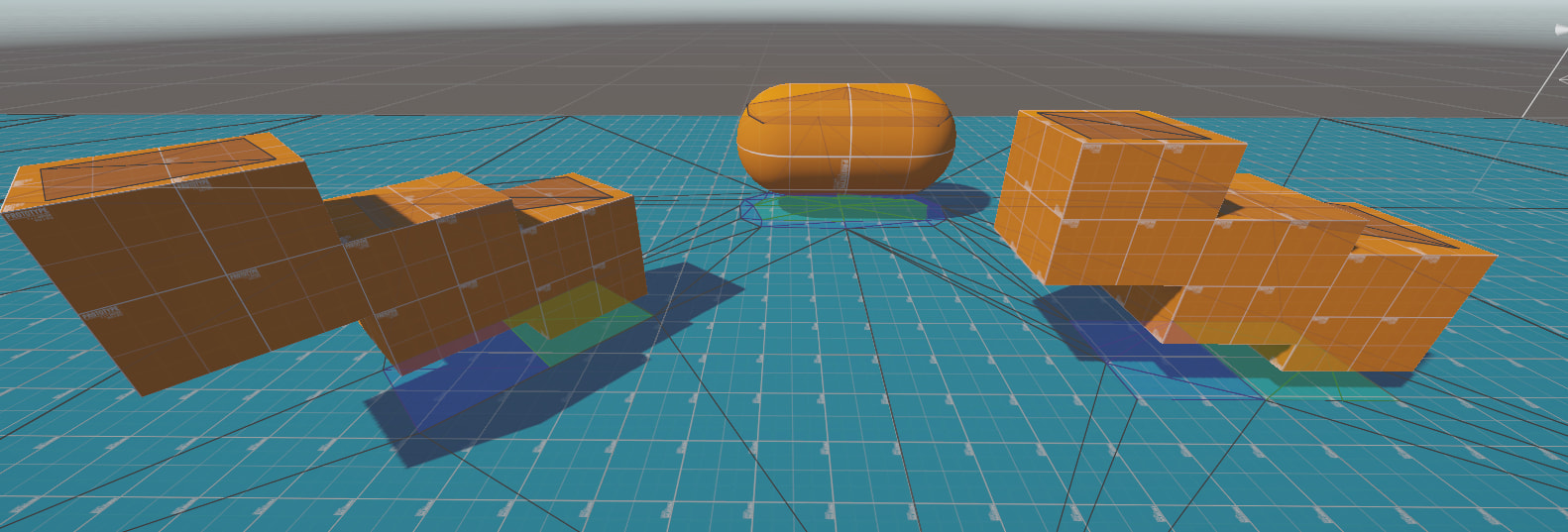
To provide context: The the highest cube shouldn’t affect the merging because it is above standing height, but the second cube forcing crouching and the third forces proneing should stop the regions below them from merging. I am using a recast graph with the agent height set at the prone height and then tagging the regions afterward. This is an example of this working:

You can see the 3 different colored regions, tagged because the area is small enough not to merge because of the constriction (and side walls). The tagging works. Would this require a whole fork and changing of the source code of the project or should I make a child class of the Recast graph class and implement the changes? Or something easier?

Hi

This is actually possible, but it requires some small changes to the source code.

You’ll need to add another pass to JobBuildTileMeshFromVoxels.cs, right after the call to JobFilterLowHeightSpans.

It should be almost identical to the code for JobFilterLowHeightSpans, but instead of setting regions to be unwalkable under a specific threshold, you add your rules for areas. Something like

span.area = myTag | VoxelUtilityBurst.TagReg;

Hi, I’ve built the job that you’ve mentioned. As a test case I manually defined the cutoffs and tags and will pass them as parameters later. The code compiles and runs but no changes occur to the navmesh. I manually checked by printing the spans and their categorizations and they are correctly identified which spans should be which areas but nothing affects the final map

    [BurstCompile(CompileSynchronously = true)]
    struct JobFilterStanceSpans : IJob
    {
        public LinkedVoxelField field;
		public uint voxelWalkableHeight;

        public void Execute()
        {
			uint voxelStandHeight = voxelWalkableHeight;
			uint voxelCrouchHeight = voxelWalkableHeight / 2;
			uint voxelProneHeight = voxelWalkableHeight / 4;

			int wd = field.width * field.depth;
            var spans = field.linkedSpans;

            for (int z = 0, pz = 0; z < wd; z += field.width, pz++)
            {
                for (int x = 0; x < field.width; x++)
                {
...
...
				for (int s = z + x; s != -1 && spans[s].bottom != LinkedVoxelField.InvalidSpanValue; s = spans[s].next)
				{
					uint bottom = spans[s].top;
					uint top = spans[s].next != -1 ? spans[spans[s].next].bottom : LinkedVoxelField.MaxHeight;
					uint clearance = top - bottom;
                    var span = spans[s];

                    if (clearance >= voxelStandHeight)
					{
						span.area = 1 | VoxelUtilityBurst.TagReg;
					}
					else if (clearance >= voxelCrouchHeight)
					{
						span.area = 2 | VoxelUtilityBurst.TagReg;
                    }
					else if (clearance >= voxelProneHeight)
					{
						span.area = 3 | VoxelUtilityBurst.TagReg;
                    }
                    spans[s] = span;
                }
            }
        }
    }

I also added the scheduling of this added job after FilterLowHeightsSpans:

				MarkerFilterLowHeightSpans.Begin();
				new JobFilterLowHeightSpans {
					field = tileBuilder.linkedVoxelField,
					voxelWalkableHeight = voxelWalkableHeight,
				}.Execute();
				MarkerFilterLowHeightSpans.End();

				// NEW
                MarkerFilterStanceSpans.Begin();
                new JobFilterStanceSpans
                {
                    field = tileBuilder.linkedVoxelField,
                    voxelWalkableHeight = voxelWalkableHeight,
                }.Execute();
                MarkerFilterStanceSpans.End();
				//NEW

I can confirmed that my addition runs and that it correctly tags the new areas, but these new tags do not change the final navmesh at all. After testing if I comment out the unwalkable code:

if (top - bottom < voxelWalkableHeight) {
	//var span = spans[s];
	//span.area = CompactVoxelField.UnwalkableArea;
	//spans[s] = span;
}

In JobFilterLowHeightSpans it doesn’t affect the graph either. So changes I make run and give me output (like printing the size of the spans) but don’t affect the final graph at all. I could be mistaken but I am editting the .cs files directly from the Packages folder in Unity, is this an incorrect way to make changes to the source code? Do I have to edit the manifest.json file in order actually run the new editted files and is unity just running a clean version?

This is a screenshot of the graph made after commenting out the unwalkable section which should make all sections walkable (it doesn’t):

I am probably severely mistaken, any help would be appreciated!

Hi

Your code almost works. However, the code will always filter out spans that have less clearance than walkableHeight (Agent Height in the inspector).

Since you want to preserve all regions even if the character have to be prone, I suggest changing Agent Height in the inspector to your prone height (e.g. 0.5 meters) and then using:

uint voxelStandHeight = voxelWalkableHeight * 4;
uint voxelCrouchHeight = voxelWalkableHeight * 2;
uint voxelProneHeight = voxelWalkableHeight;

with these changes, it works for me!

This works perfectly, thank you so much for your help!

Sorry for a final question but because the max step height warns me that it should be less than the character height and clamps to the character height (now prone height), if the prone height is too low that will now limit the step height.

Do you know the job that filters out spans lower than the character height so that I can edit it to only filter out spans lower than prone height instead so that I can keep the character height of the graph as the actual character height so that it doesn’t affect the step height? I assume it is in JobFilterLedges on this line:

// Skip neighbour if the gap between the spans is too small.
if (math.min(top, ntop) - math.max(bottom, nbottom) > voxelWalkableHeight) {
    minNeighborHeight = math.min(minNeighborHeight, nbottom - bottom);
}

although it might be another line as I haven’t looked at the other jobs too closely.

Thanks again for your help!

To document my final findings:

I wanted to tag regions that can be traversed by crouching and proning agents without using multiple graphs. To do this I added another job in “JobBuildTileMeshFromVoxels” called “JobFilterStanceSpans”, which does the same thing as “JobFilterLowHeightSpans” but instead of tagging unwalkable and walkable regions, it tags any span in the height ranges as tag 1,2, or 3 for stand, crouch, prone. This makes it so that the navmesh doesn’t automatically simplify these regions so that a GraphModifier that I wrote can tag these regions correctly.

This works perfectly except that I have to set the navmesh as the proning height, so the final correction so that I can set the navmesh agent height to their actual height is to change “JobBuildConnections” where voxelWalkableHeight is used and change that to the prone height so that regions smaller than the walkable height aren’t preemptively culled.

2 Likes