- A* version: [5.4.4]
- Unity version: [6000.0.59f2]
Hi there! 
I am using a single grid graph for my project. The graph itself is relatively simple, as I just have a flat, walkable surface on the “Tile“ layer, and obstacles on the “Obstacle“ and “Structure“ layers. The graph settings are visible on the screenshots below.
Everything worked well on my computer, but when testing the game on a different laptop, the height testing did not work at all, leading to no ground being detected. This issue also persists in builds.
I then tested the project with identical settings on multiple PCs and laptops. On five different PCs, the graph scanning and height testing worked normally, but on two laptops, it again didn’t. The laptops have better hardware than some of the tower PCs I used, so computing power does not seem to be the issue.
To better understand the problem, I created a testing scene with a plane and four cubes on the corresponding “Tile“ and “Structure“ layers. Below, I have included multiple screenshots of the same situation on multiple computers that illustrate the issue.
These are the computers used for the example:
A) Tower PC (height testing works)
CPU: AMD Ryzen 7 7800X3D
GPU: NVIDIA GeForce RTX 4070 SUPER
RAM: 32GB
OS: Windows 11
B) Laptop (height testing doesn’t work)
CPU: Intel i9-13900HX
GPU: NVIDIA GeForce RTX 4070 Laptop GPU
RAM: 32GB
OS: Windows 11
1A&B) Height testing disabled (until here, the computers behave identically)
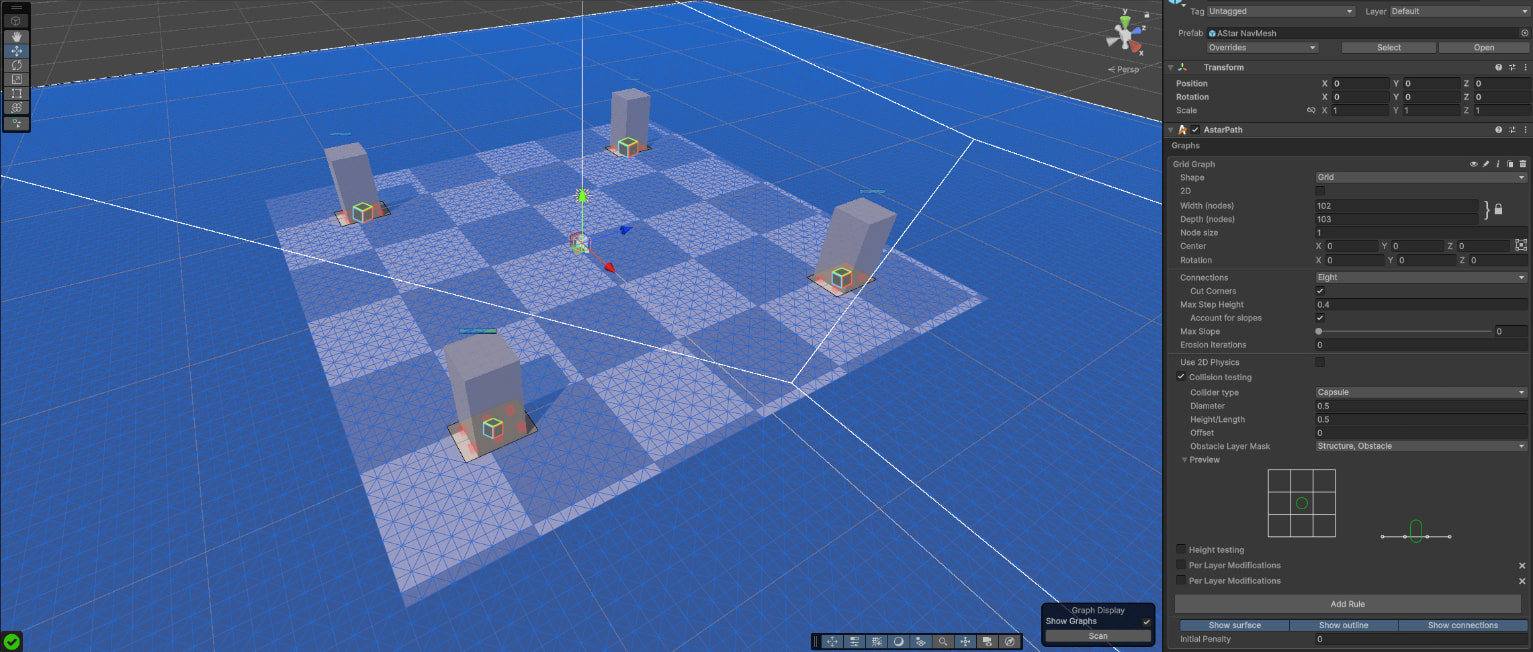
2A) Height testing enabled
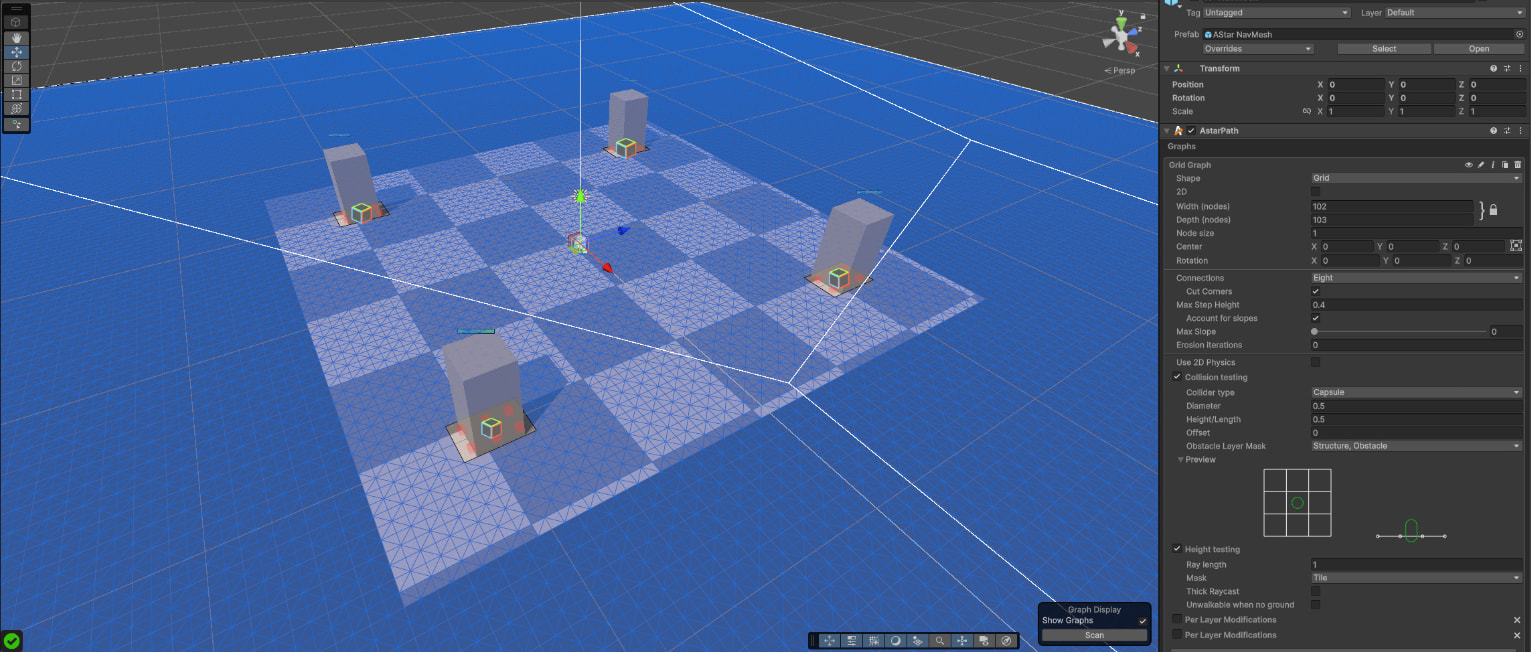
2B) Height testing enabled (ground is unwalkable, even though “unwalkable when no ground“ checkmark is set to false)
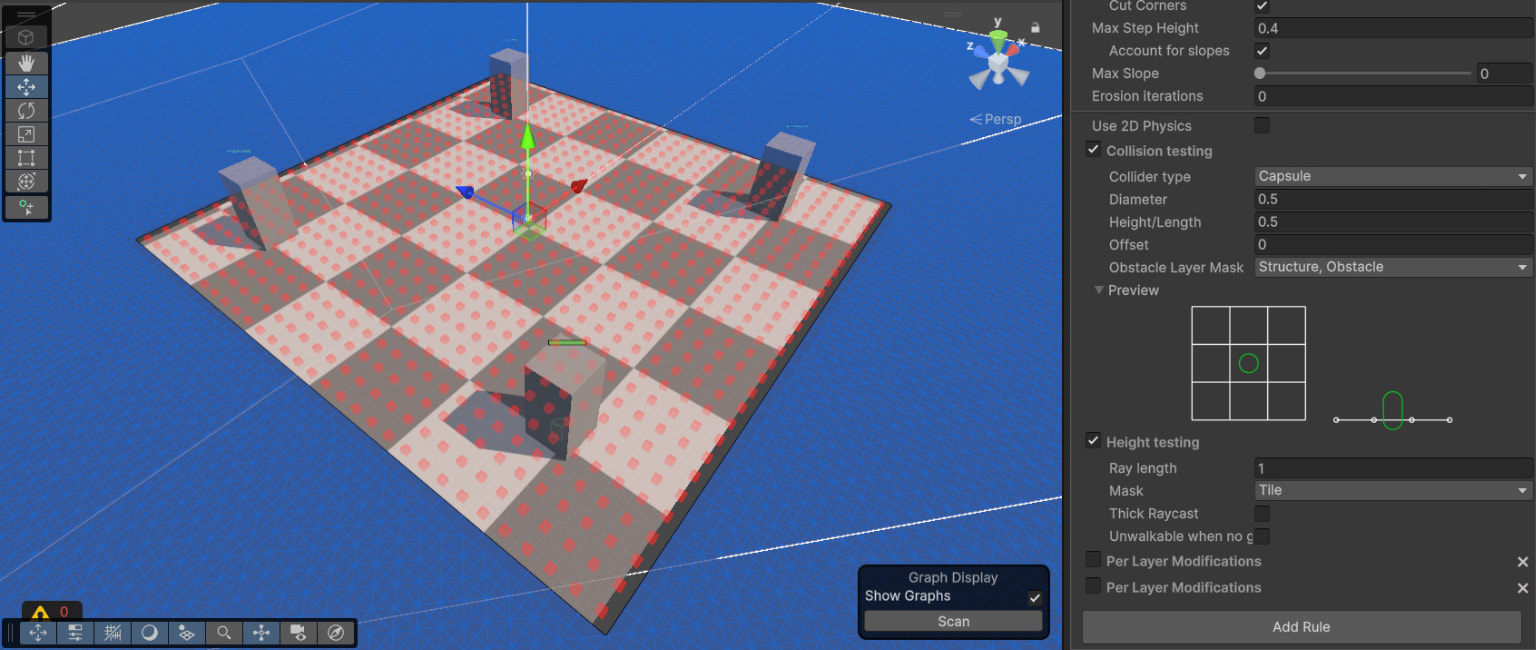
3A) “Unwalkable when no ground“ set to true
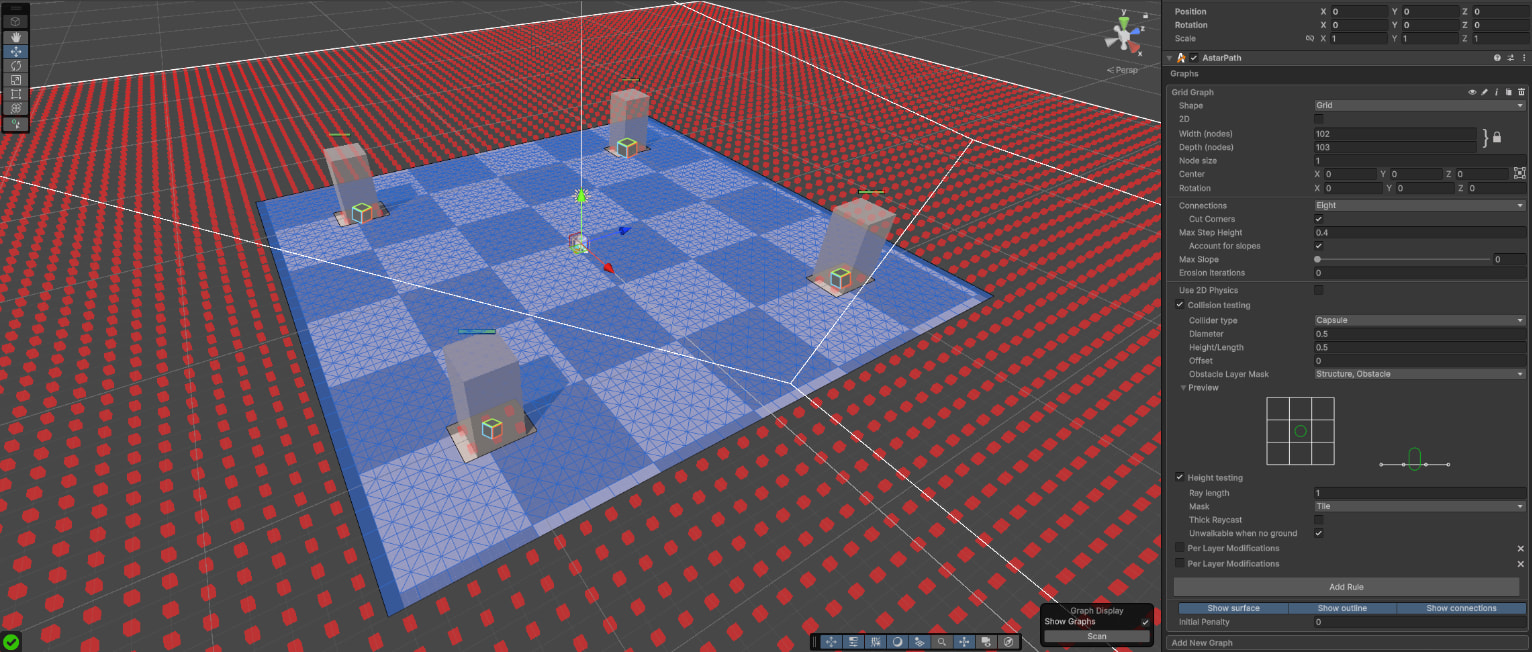
3B) “Unwalkable when no ground“ set to true (everything is unwalkable, ground on “Tile“ layer is still not detected)
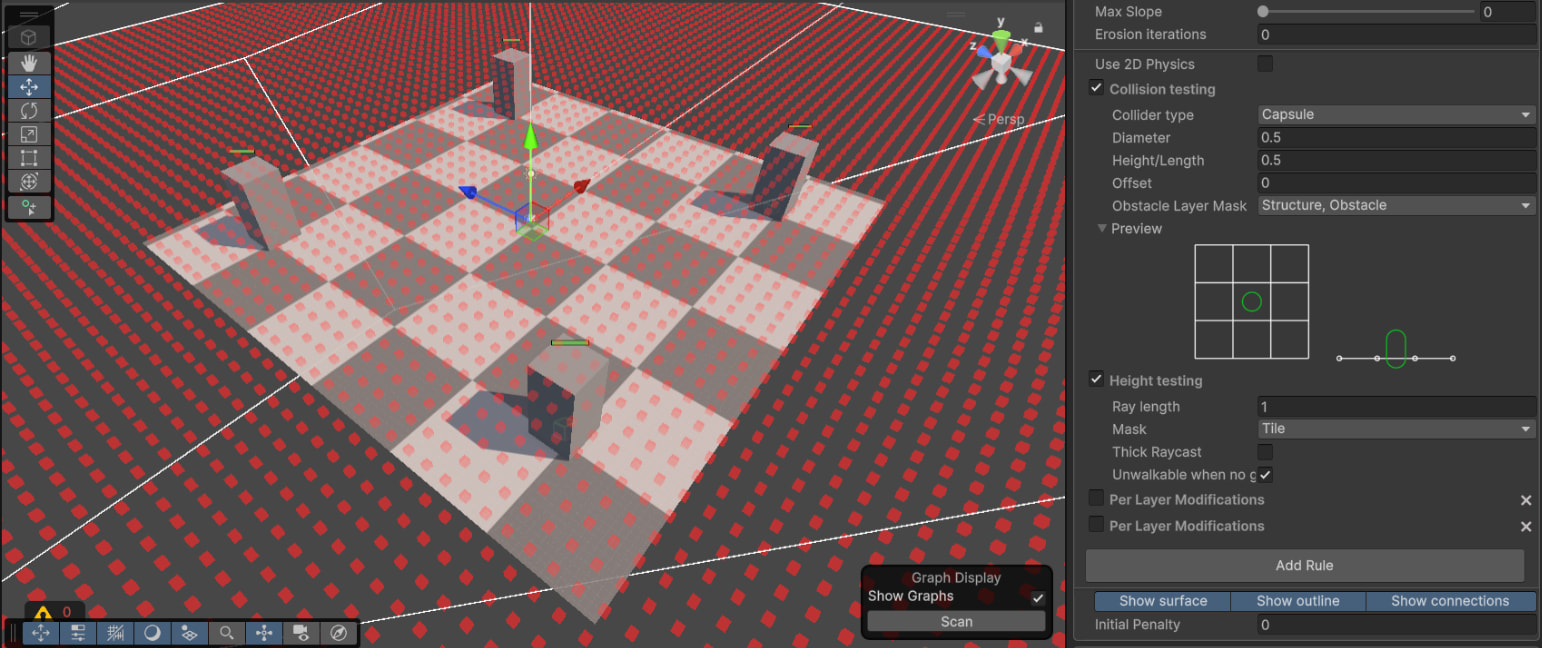
No matter what I try, as soon as I enable height testing on some computers, the ground is not detected. These are the options I tried:
- shifting the graph slightly op and down
- changing the ray length and using thick raycast
- using different layers
- using different grid graph shapes
If I have not missed something obvious, this seems to be some kind of hardware-related issue, and I am really at my wit’s end. Not knowing if the game will run at all depending on the computer is really scary, so I really hope this issue can be solved 
Thank you so much in advance!
Luca
