-
A* version: 5.4.4
-
Unity version: 6000.0.58f2
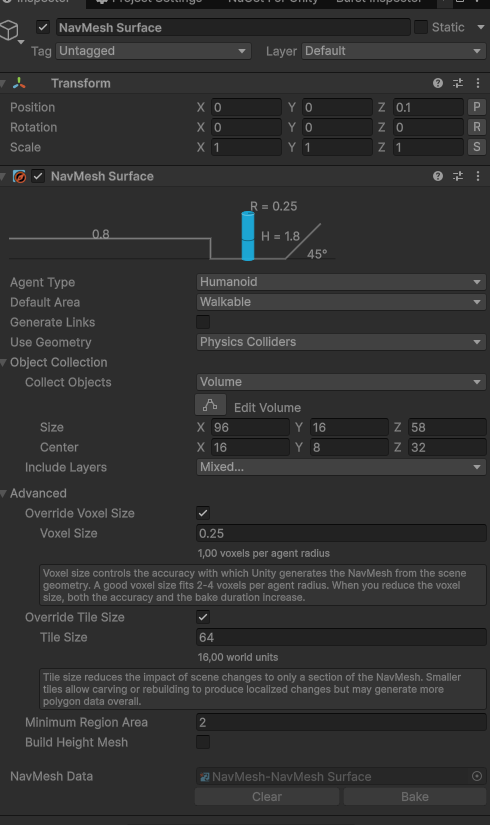
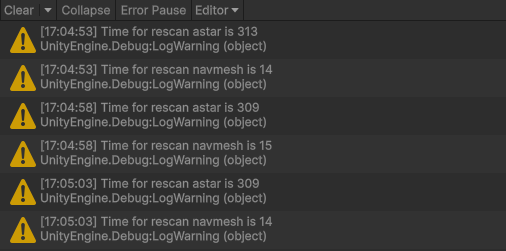
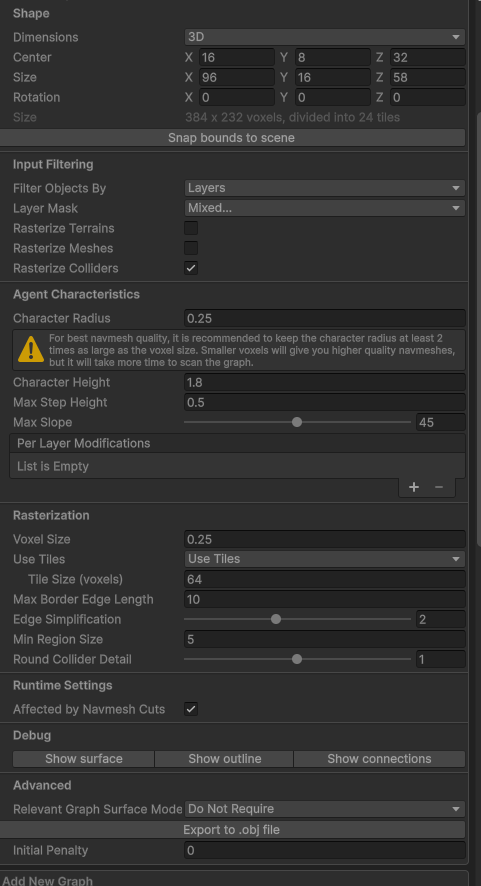
Hello! In our game we need to rescan graph because we have dynamic environment, that can be destroyed, and with this settings rescan time is huge, around 300 ms, and same settings in unity navmesh is around 15 ms, so difference is 20! times. What we doing wrong and how we can optimize rescan time? We can’t increase size of voxels. Thanks!`while (updateGraph)
{
await UniTask.WaitForSeconds(5);var watch = Stopwatch.StartNew(); watch.Start(); path.Scan(); watch.Stop(); Debug.LogWarning("Time for rescan astar is " + watch.ElapsedMilliseconds); var watchNav = Stopwatch.StartNew(); watchNav.Start(); _navMeshSurface.UpdateNavMesh(_navMeshSurface.navMeshData); watchNav.Stop(); Debug.LogWarning("Time for rescan navmesh is " + watchNav.ElapsedMilliseconds);}`
It’s hard to say for sure, but as a first check, could you verify that burst compilation is enabled?
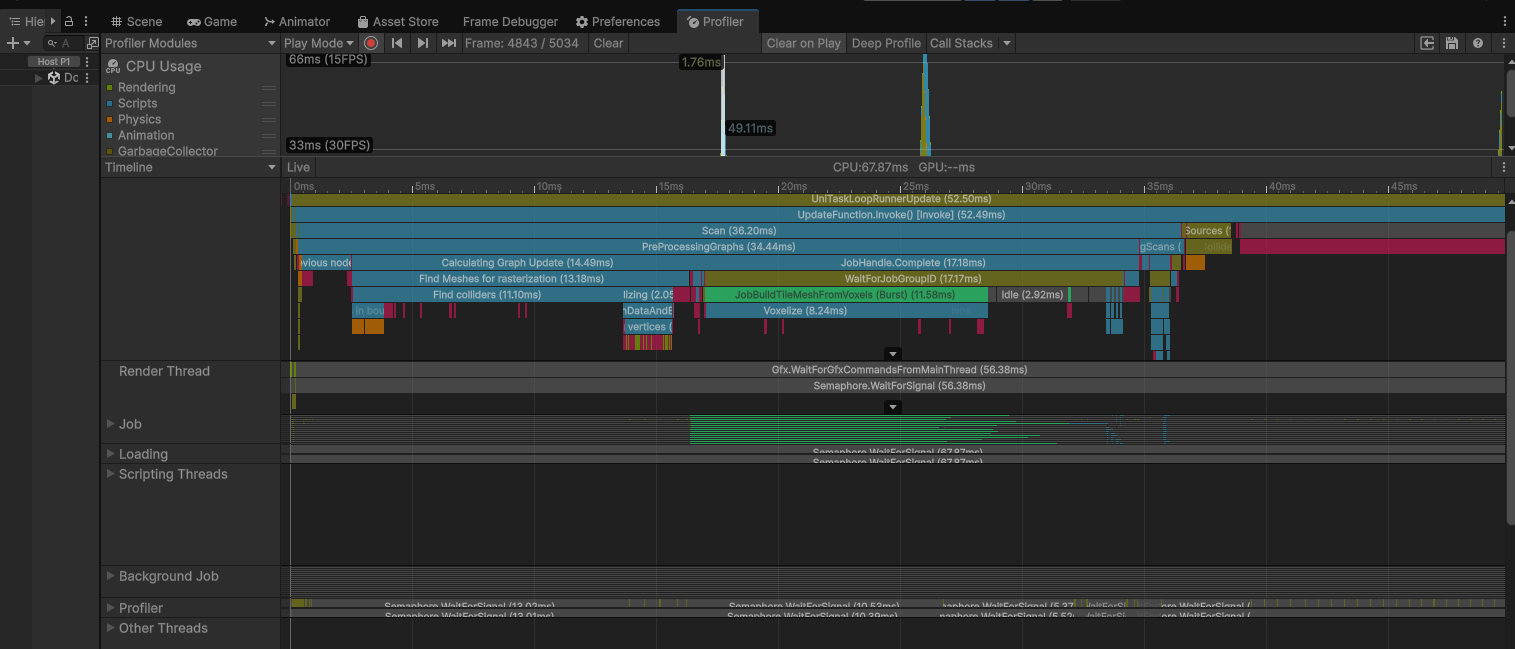
If it is, could you show a screenshot of the unity profiler in the timeline view?
On my computer, for a scene of similar size and with similar settings, it takes 19ms to scan. But of course, the scene complexity could be very different.
Keep in mind that graph can also be updated locally. See Graph Updates during Runtime - A* Pathfinding Project
Hi, thanks for reply! Sorry, can you please specify, where I should enable Burst for astar?
It’s in the Unity menu bar, under “Jobs”.
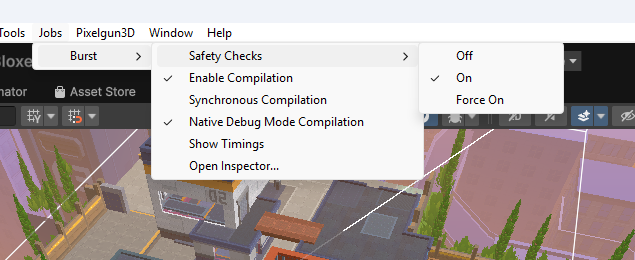
The “Enable Compilation” one. You probably want to disable “Native Debug Mode Compilation”, though.
1 Like