This seems like you want to use the ProceduralGraphMover, to keep the graph centered on the player. It’s an out-of-the-box solution that just requires you to assign the “center” GameObject.
See the bottom of this page Moving a graph at runtime - A* Pathfinding Project
I cannot see anything immediately wrong in your setup. Have you checked the Recast2D example scene for reference? That one uses tilemaps. None of them use any tags, but I just tried to add a RecastNavmeshModifier to the “Walls” tilemap and make the walls use a different tag, and that worked perfectly.
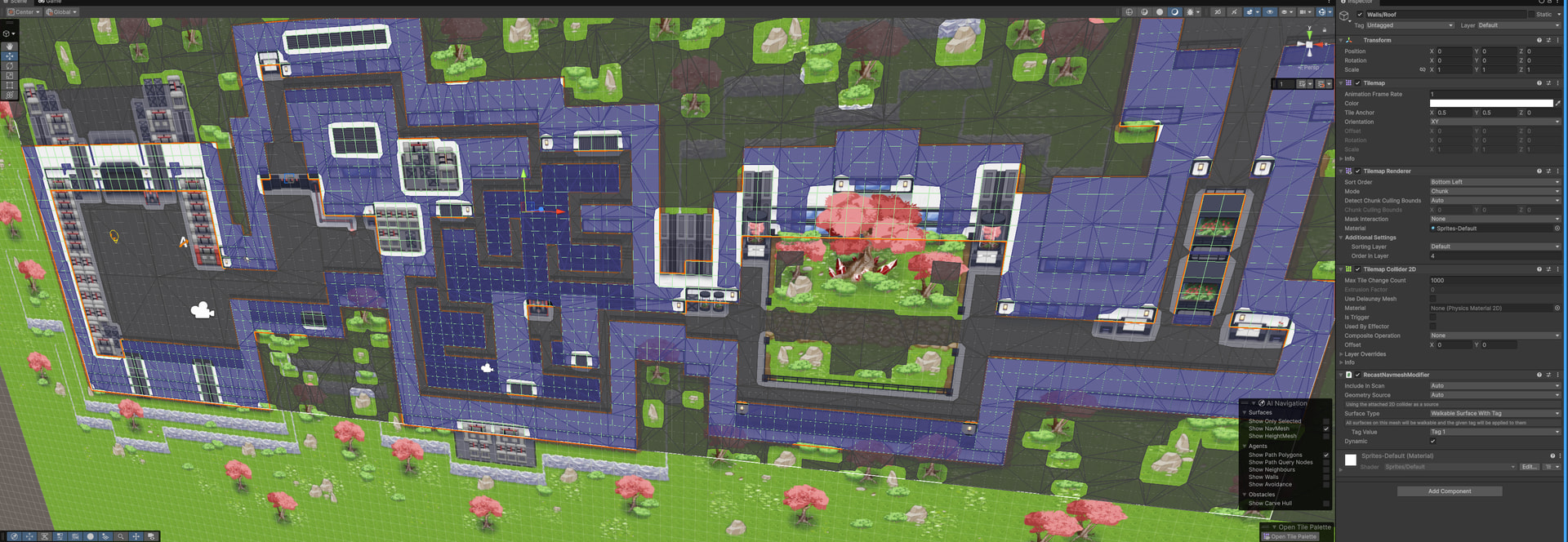
Note that the recast graph only supports colliders as the source information in 2D mode. This means your tilemaps need colliders for them to affect the system. If you have composite colliders, they need to be marked as Polygonal, not Edges (but this doesn’t seem to be an issue in your case).
Interesting. I’ve only heard of one other user that saw this. And in their case, it was something else in their project (perhaps another plugin, unclear). Issues importing version 5.4.5 via Unity Package Manager with Unity 6 - #4 by aron_granberg
This package doesn’t include duplicate assembly definitions by default.
Yeah. The unity asset store sadly doesn’t have a good workflow for supporting this without a lot of manual pain. I recommend running the automatic URP material converter after you import the samples.
True. I’ll see if I can get a compatibility layer in place so that it can support both input systems at the same time.
That’s strange. When this happens, can you verify that:
- Show Graphs is enabled
- Gizmos are enabled in the scene view
- Clicking on the small “i” button at the top right corner of the graph inspector shows that the graph has nodes in it.
Are you using any non-standard post processing effects that could be interfering?