2D Tilemaps not working

  • A* version: 5.4.5
  • Unity version: 6000.2.6f2

Hi, I’ve just installed the Pro asset to upgrade the inbuilt Unity navigation for improved performance.

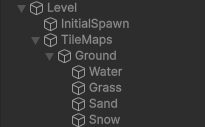
I have a 2D game (XY axis aligned) and use several tilemaps for the different terrains (e.g. 1 tilemap for grass + 1 each for sand/snow/water).

I’m really struggling to use the plugin. I don’t see many updated tutorials of how to use a recent version and even something which feels like it should be a single line of code like moving the center of the graph seems incredibly complex (my world is procedurally generated and I only want to generate a specified area around the player from time to time).

I think I worked out the repositioning (at least it seems to mostly work?)

for (int i = 0; i < _astarPath.graphs.Length; i++)
{
  RecastGraph currentGraph = _astarPath.graphs[i] as RecastGraph;
  currentGraph.forcedBoundsCenter = transform.position;
  currentGraph.transform = currentGraph.CalculateTransform();
}
AstarPath.active.Scan();

^ is this right? It seems clunky?

That aside, I have 2 primary problems I can’t figure out and would like to request help with (I’ve already lost ~6hrs struggling with it today):

Problem #1: I cannot get Tilemaps to be used in the scanned graph

This is the big problem I can’t seem to solve no matter what I try.

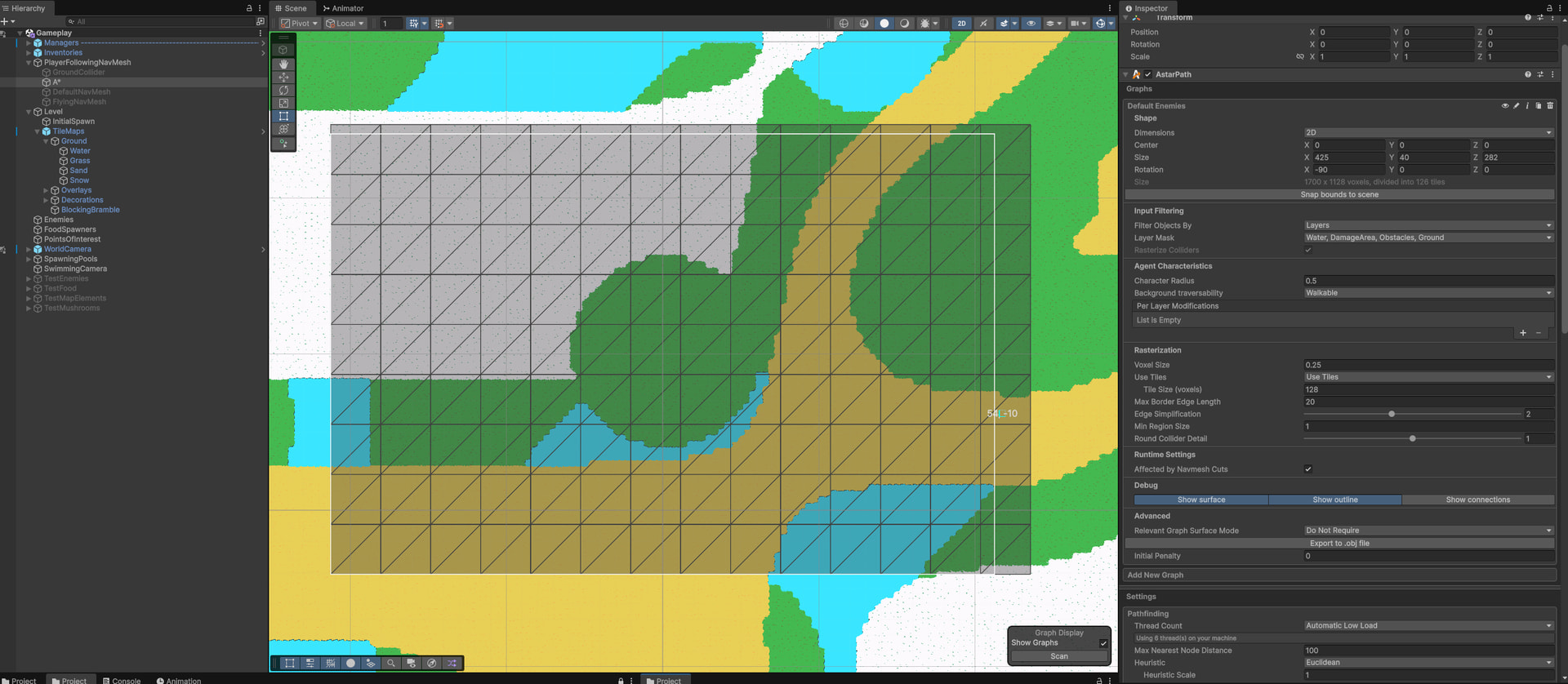
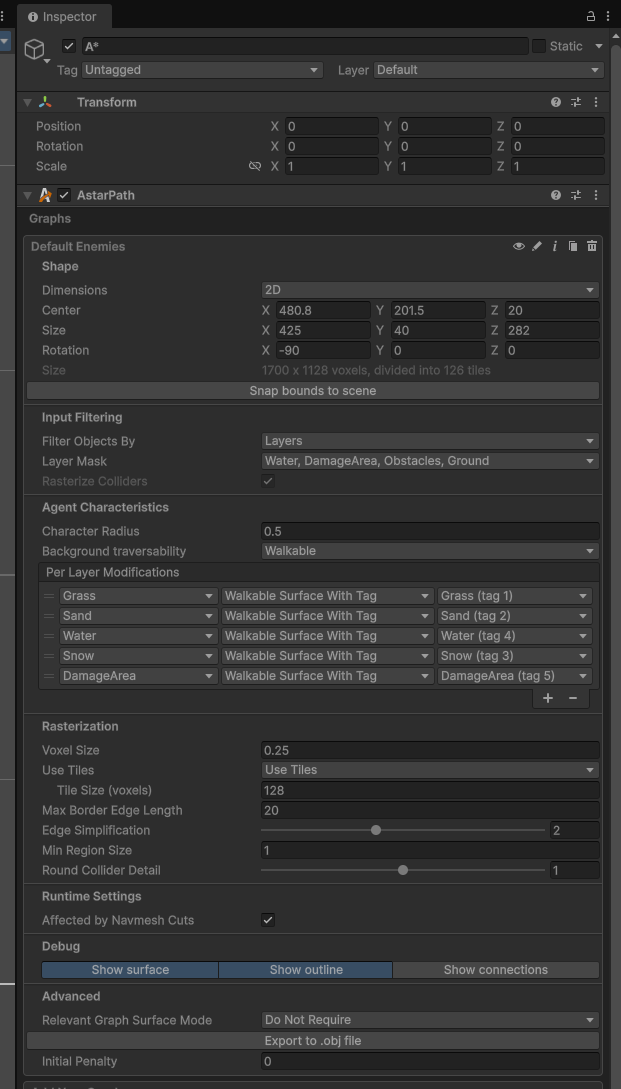
I have a single Recast Graph for now (2D) and it tends to find the map object colliders (e.g. trees, rocks etc.) well enough. However no matter what I’ve tried, I cannot get it to take the tiles that exist on each of the tilemap layers (separate GameObjects for each terrain type) and make them show up in the generated NavMesh with the proper tags (or at all even without tags).

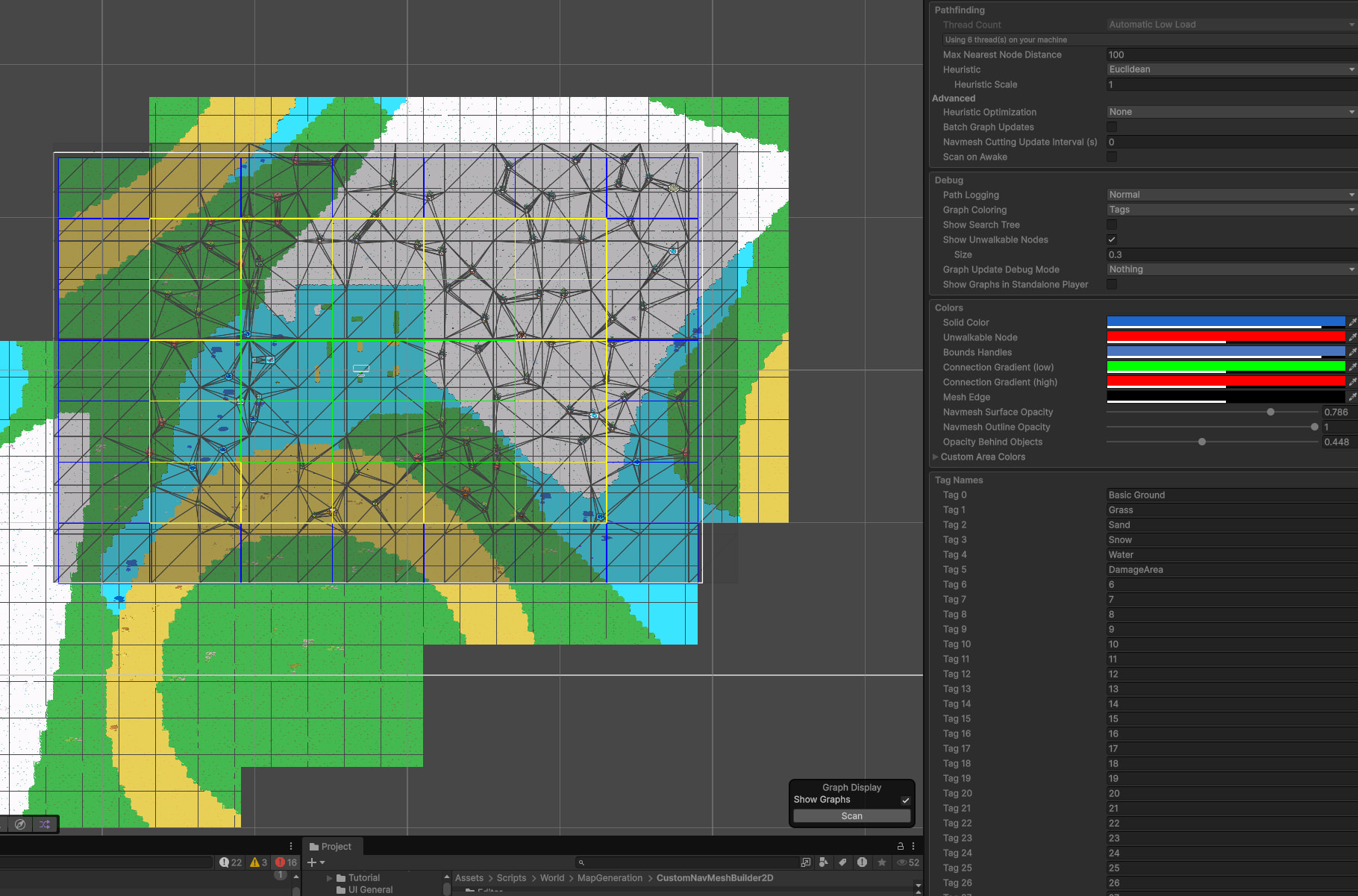
Here’s the AStarPath component setup (Recast):
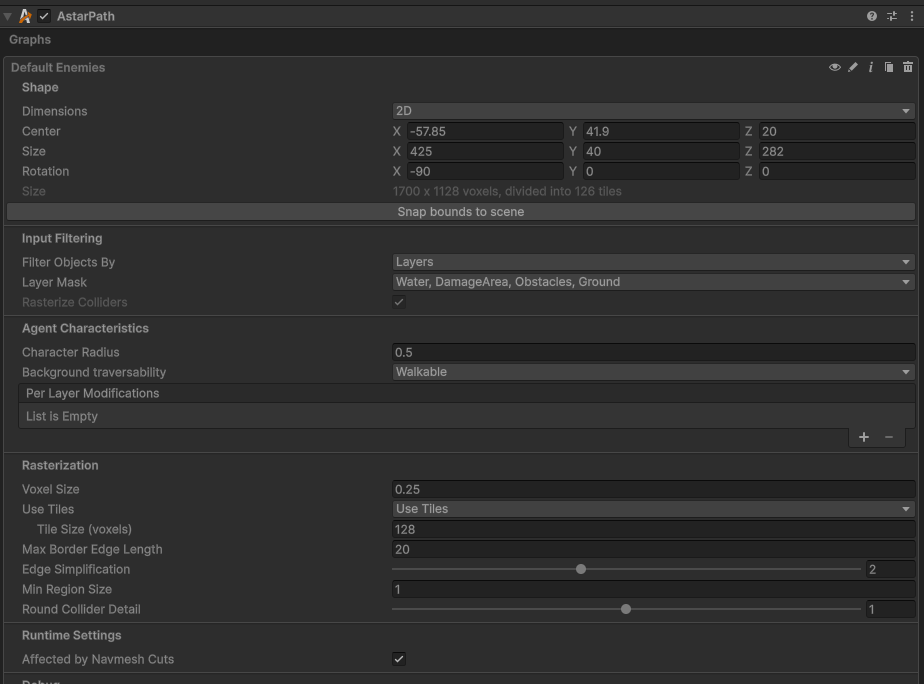
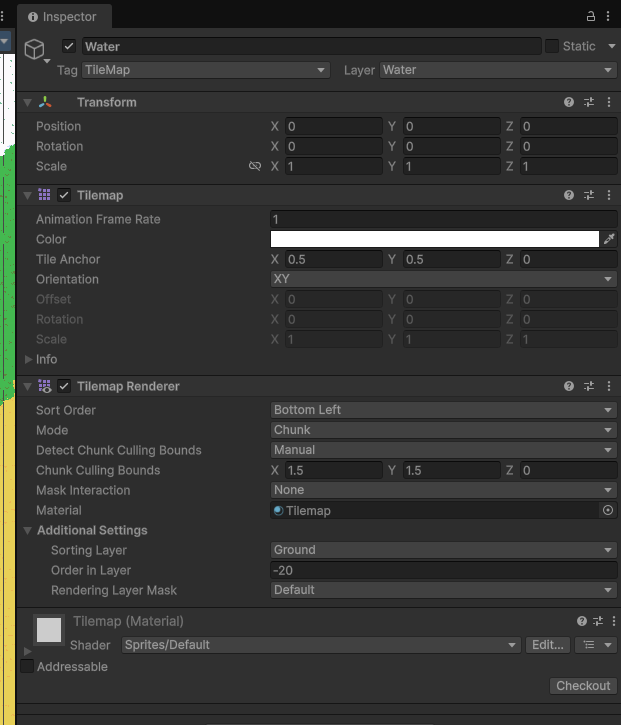
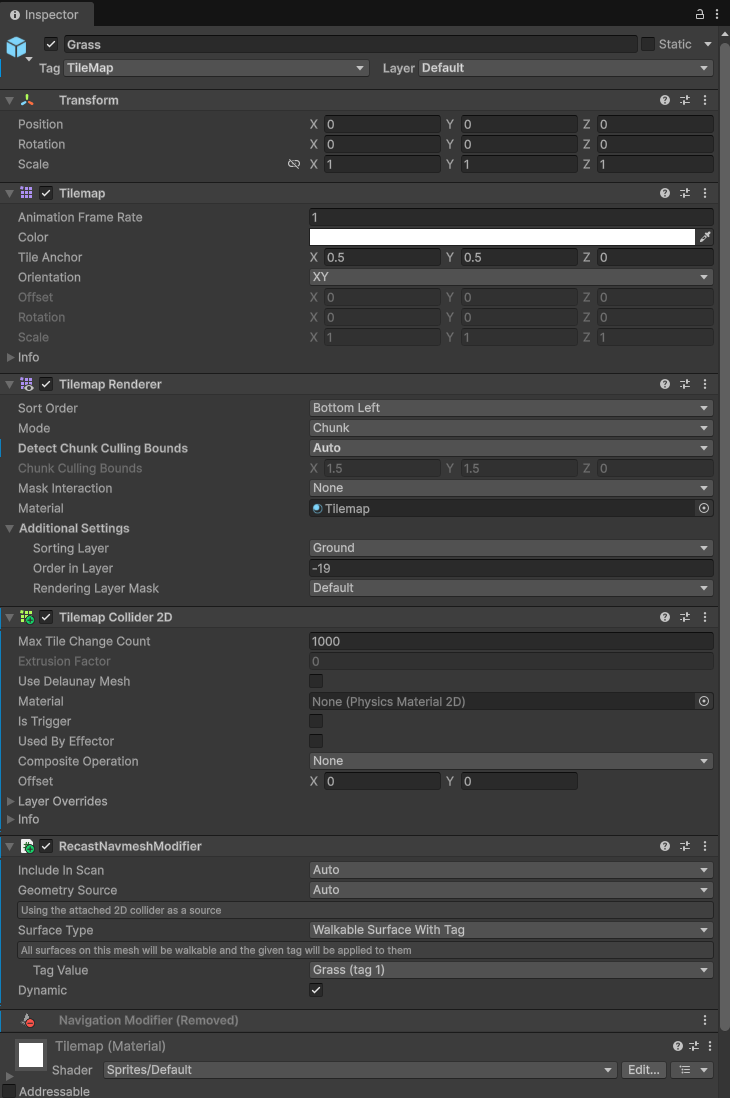
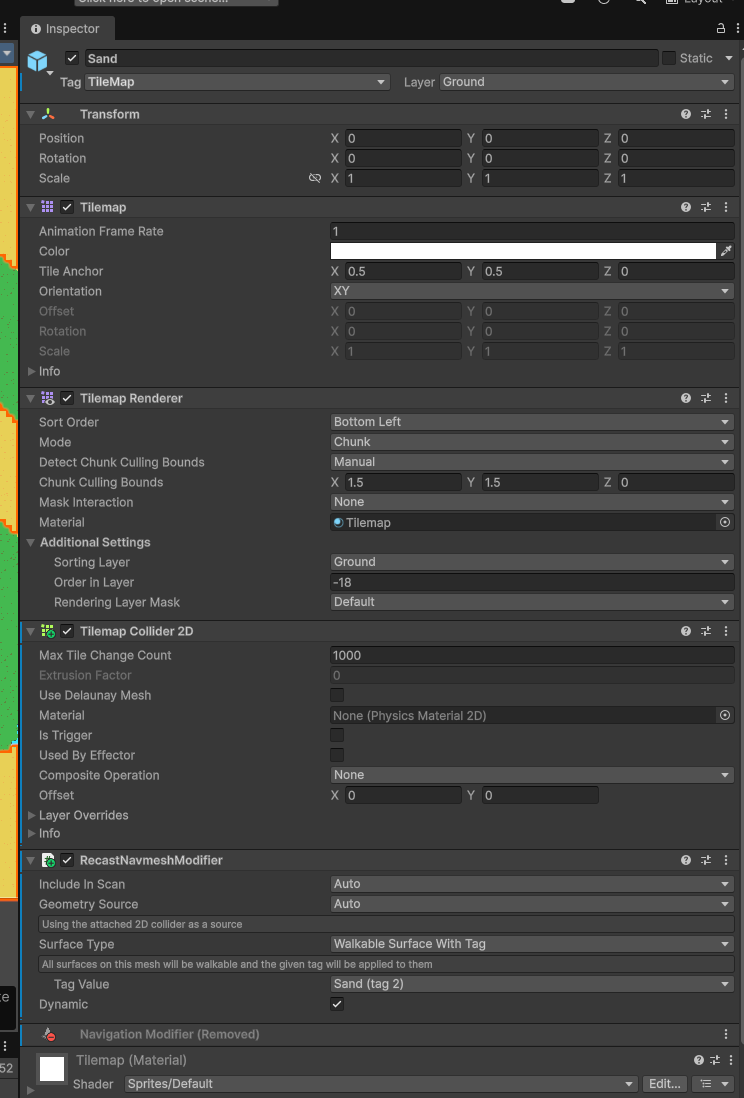
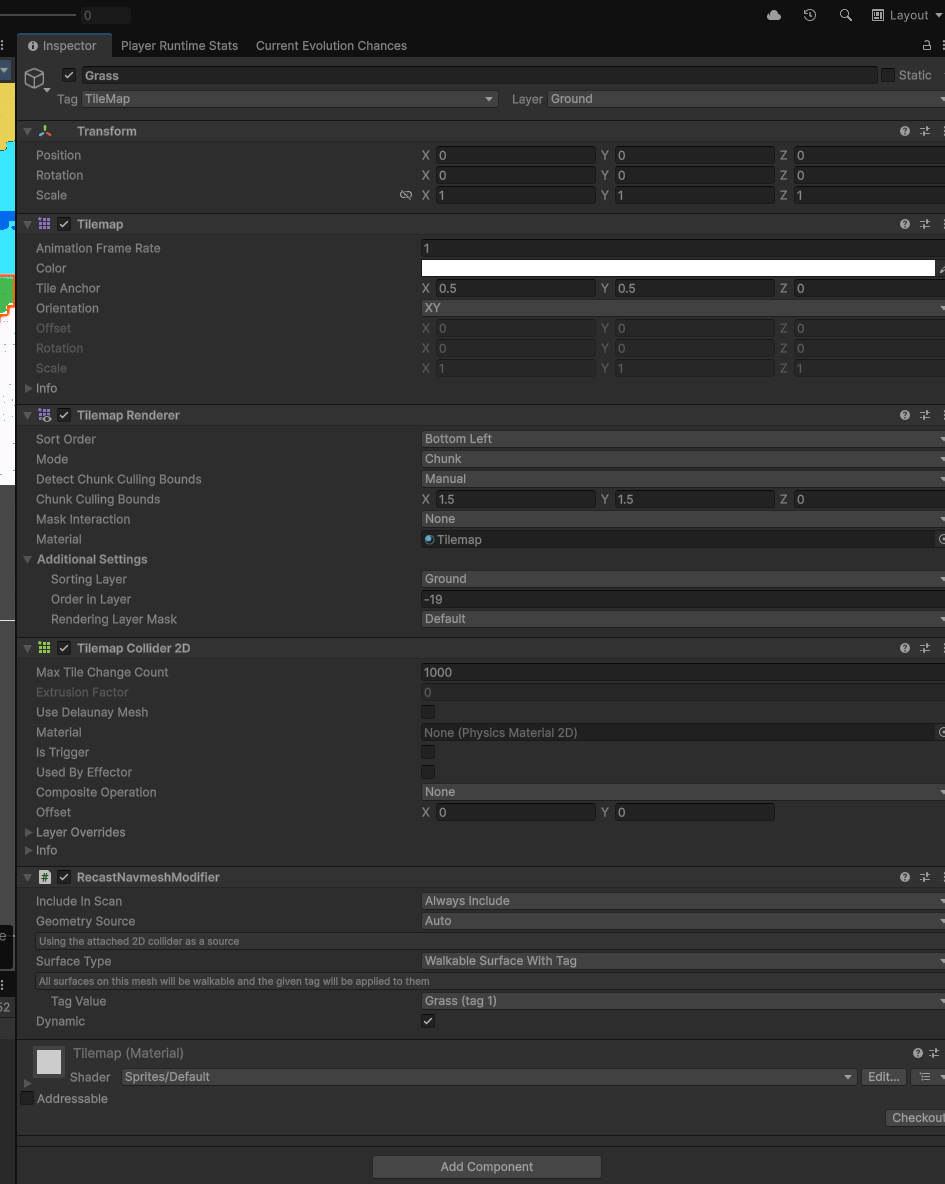
And here’s how the tilemaps look (I’ve tried every combination of with TilemapCollider2D, RecastNavmeshModifier and nothing causes it to show up)
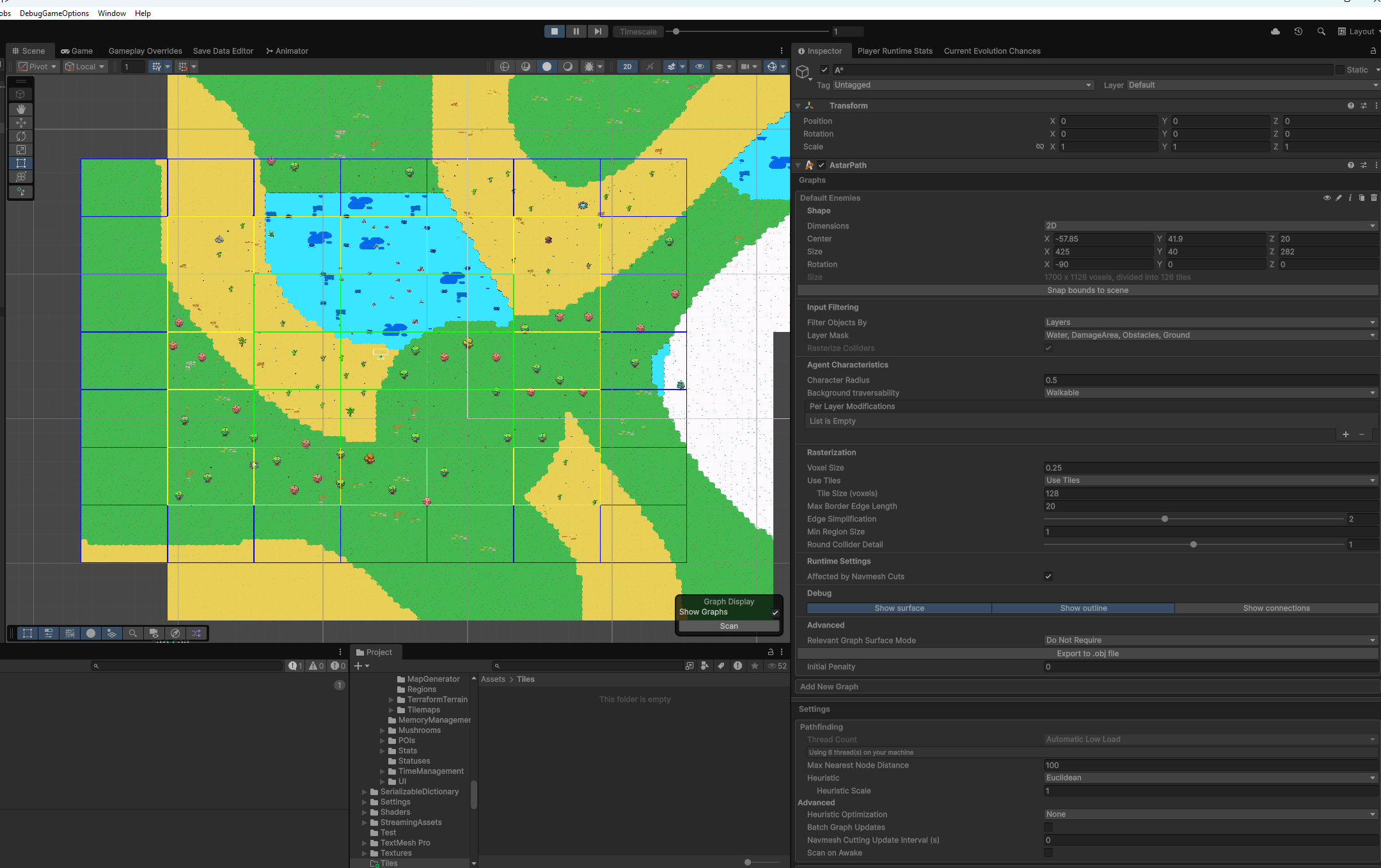
Problem #2: Often doesn’t draw the graph in scene view

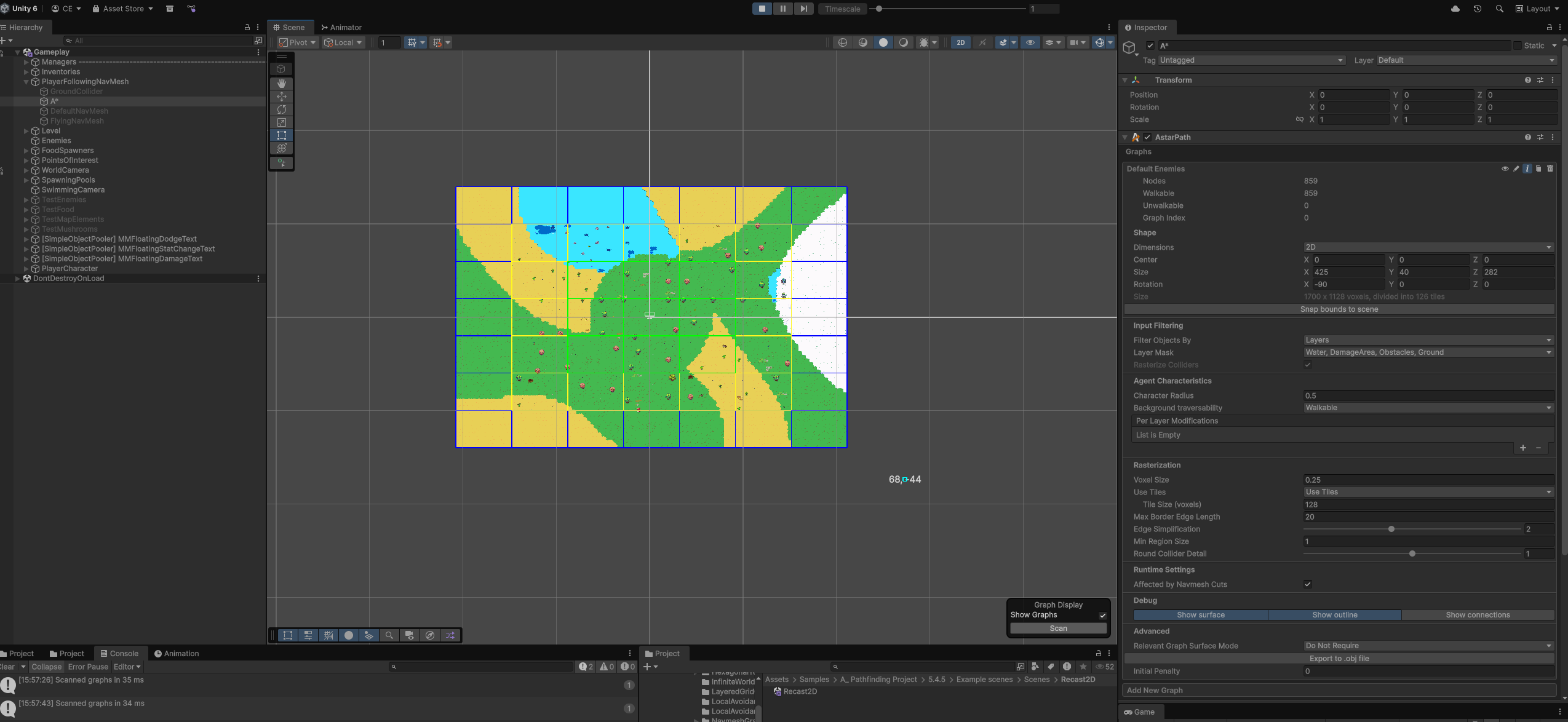
Very often it will simply stop drawing the graph whatsoever which makes it effectively impossible to know if something I’ve done even works.

Even if I haven’t changed anything since the last run, it will simply stop rendering (even if I use the rescan button and use Solid Colours). Turning random things off and on a bunch of times will sometimes fix it, sometimes not.
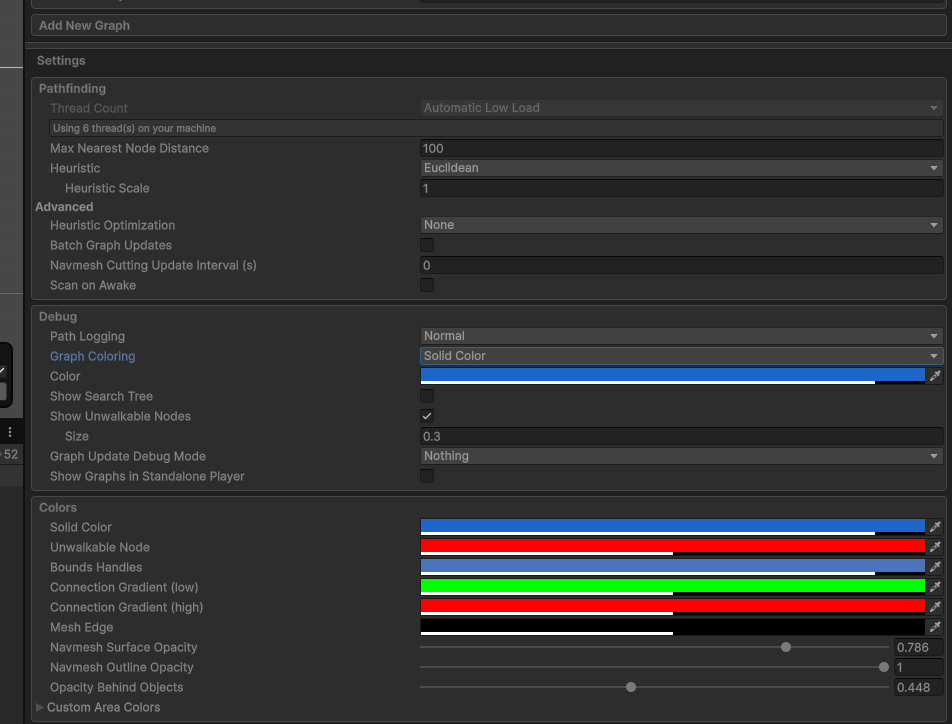
Please send help!

Thank you in advance for any help you can provide with this!
I’ve also tried creating dedicated layers

and using this approach of tagging but nothing I do seems to make it actually show up

I really have no idea what I’m doing wrong and the examples (Sample scenes) aren’t helpful because:

  1. They didn’t compile out of box due to repeated definition includes in both assembly definition files (had to manually remove to fix)
  2. They don’t seem to support URP (I have pink textures everywhere)
  3. Incompatible with new Unity Input system which I’m using (spamming errors in most scenes every frame)
  4. Don’t seem to have any 2D Tilemaps as tagged areas examples as best I can tell (there was one Tilemap without tags but that required Entity support and when Importing, the example code got into an state with a tonne of compilation errors and it didn’t look like what I was after anyway so I left it at that)

This seems like you want to use the ProceduralGraphMover, to keep the graph centered on the player. It’s an out-of-the-box solution that just requires you to assign the “center” GameObject.

See the bottom of this page Moving a graph at runtime - A* Pathfinding Project

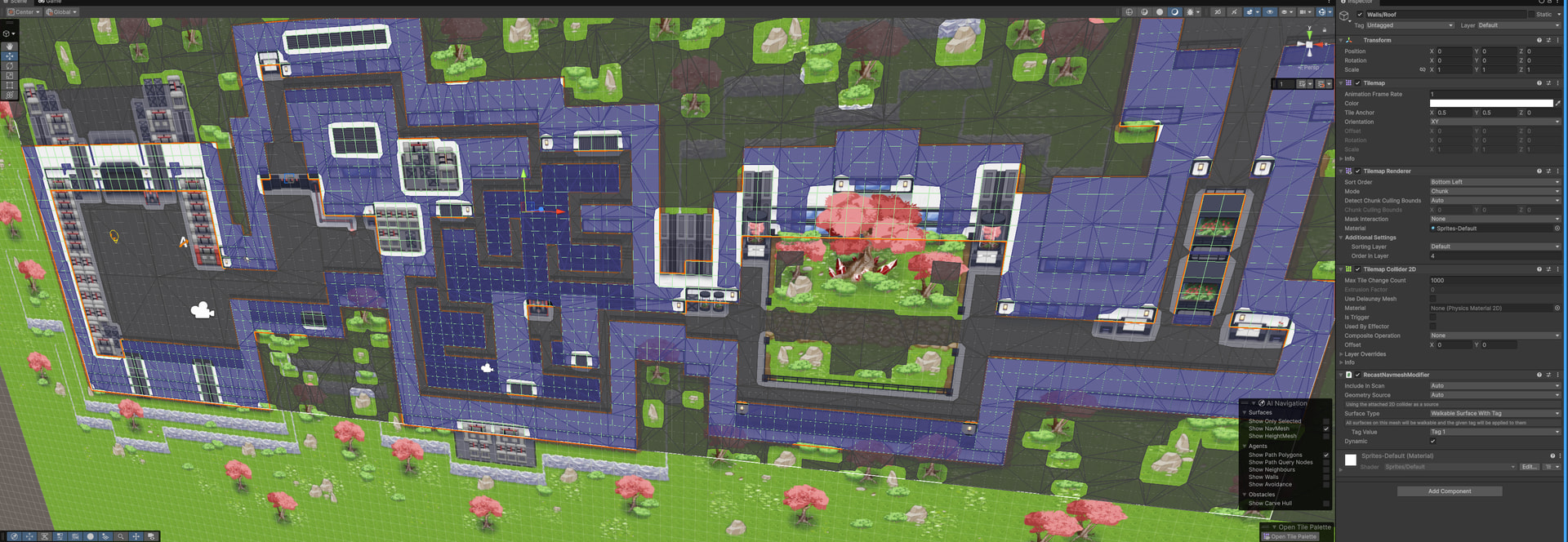
I cannot see anything immediately wrong in your setup. Have you checked the Recast2D example scene for reference? That one uses tilemaps. None of them use any tags, but I just tried to add a RecastNavmeshModifier to the “Walls” tilemap and make the walls use a different tag, and that worked perfectly.

Note that the recast graph only supports colliders as the source information in 2D mode. This means your tilemaps need colliders for them to affect the system. If you have composite colliders, they need to be marked as Polygonal, not Edges (but this doesn’t seem to be an issue in your case).

Interesting. I’ve only heard of one other user that saw this. And in their case, it was something else in their project (perhaps another plugin, unclear). Issues importing version 5.4.5 via Unity Package Manager with Unity 6 - #4 by aron_granberg

This package doesn’t include duplicate assembly definitions by default.

Yeah. The unity asset store sadly doesn’t have a good workflow for supporting this without a lot of manual pain. I recommend running the automatic URP material converter after you import the samples.

True. I’ll see if I can get a compatibility layer in place so that it can support both input systems at the same time.

That’s strange. When this happens, can you verify that:

  • Show Graphs is enabled
  • Gizmos are enabled in the scene view
  • Clicking on the small “i” button at the top right corner of the graph inspector shows that the graph has nodes in it.

Are you using any non-standard post processing effects that could be interfering?

Hey Aron, thanks for the response!

I tried using the ProceduralGraphMover but it’s a race condition as I may not have spawned the objects at the time it tries to scan which results in collisions not being properly detected. I even tried copying a chunk of the code in that script to call manually at the time I determine it’s ready.

Maybe I’m missing an important change of how to guarantee no race condition between something requiring a Recast update or not and I’m thinking too much in the classic NavMesh direction? Is there some way of telling the system that an object has spawned with updated navmesh needs and to dirty the graph to rebuild itself?
For now my entire system has been built on the premise of being able to syncronously create a NavMesh at the time of spawning the new region of my procedural world. I want to move to this plugin to allow for better perf when doing this (I’d love to go async if possible but unsure how much that’d break the rest of my game tbh).


The scenes just don’t work well for me at all in runtime due to the URP and input issues and it’s a lot of work to get around. However I could get it working with tags at edit time too copying your picture which is interesting..

But no matter what I do in my own scene, they will not show up as tagged areas even if I match it excatly as per the Recast2D scene to have TilemapCollider2D + RecastNavmeshModifier (see below pics)


The i is a useful tip I didn’t spot! Any chance you can extend it to show how many nodes of each type of tagged area there are? That way I can at least know if it’s simply a GUI rendering issue or logically broken.

You can see here that my gizmos are enabled, I just scanned (and have the comment showing it too), there are walkable nodes in the i and we’re showing graphs but it simply doesn’t render them at runtime in this particular run (sometimes it does)


1 more thing that could help is that whenever I’m at edit time, I don’t have objects on the map at that time (they’re dynamically spawned at runtime). And because it doesn’t find the tilemaps for some reason, it therefore doesn’t find anything and spits out this message:

No rasterizable objects were found contained in the layers specified by the 'mask' variables
UnityEngine.Debug:LogWarning (object)
Pathfinding.Graphs.Navmesh.TileBuilder:CollectMeshes (UnityEngine.Bounds) (at ./Packages/com.arongranberg.astar/Graphs/Navmesh/TileBuilder.cs:172)
Pathfinding.Graphs.Navmesh.TileBuilder:Schedule (Pathfinding.Jobs.DisposeArena) (at ./Packages/com.arongranberg.astar/Graphs/Navmesh/TileBuilder.cs:247)
Pathfinding.RecastGraph/RecastGraphScanPromise/<Prepare>d__9:MoveNext () (at ./Packages/com.arongranberg.astar/Graphs/RecastGraph.cs:1166)
Pathfinding.GraphUpdateProcessor:PrepareGraphUpdatePromises (System.Collections.Generic.List`1<System.ValueTuple`2<Pathfinding.IGraphUpdatePromise, System.Collections.Generic.IEnumerator`1<Unity.Jobs.JobHandle>>>,Pathfinding.Jobs.TimeSlice) (at ./Packages/com.arongranberg.astar/Core/Pathfinding/GraphUpdateProcessor.cs:239)
AstarPath/<ScanInternal>d__131:MoveNext () (at ./Packages/com.arongranberg.astar/Core/AstarPath.cs:1822)
AstarPath/<TickAsyncScanUntilCompletion>d__128:MoveNext () (at ./Packages/com.arongranberg.astar/Core/AstarPath.cs:1688)
Pathfinding.AstarPathEditor:MenuScan () (at ./Packages/com.arongranberg.astar/Editor/AstarPathEditor.cs:1294)
Pathfinding.AstarPathEditor/<>c__DisplayClass74_0:<RunTask>b__0 () (at ./Packages/com.arongranberg.astar/Editor/AstarPathEditor.cs:788)
UnityEditor.EditorApplication:Internal_CallUpdateFunctions ()

It’s worth noting that the tilemaps are on the Ground layer which is part of the A* Recast graph’s layers:

P.S. It would be INCREDIBLY useful to be able to choose the colours of the tags. Seeing the water as blue, sand as yellow, grass as green & snow as white for example would allow me to instantly verify that it’s working as expected at a glance if/when I do get them to finally start showing up as tags

Perhaps for your use case, you’d be more interested in using the RecastGraph.Resize method, together with AstarPath.UpdateGraphs.

This will allow you to

  1. Resize the recast graph to cover a new part of the world, or discard previous tiles, without changing any existing tiles.
  2. Issue a graph update with the bounds of a tile (see GetTileBounds - A* Pathfinding Project , you’ll want to make it slightly smaller to avoid recalculating nearby tiles too) whenever that chunk is ready.

For just exploring the sample scenes, you could import them into an empty Unity project.

Are the tilemaps outside the graph bounds on the Z axis, perhaps?

You can. Go to A* Inspector → Settings → Colors → Area Colors. They are primarily intended for the connected component visualization, but the tag colors use the same color map.

Sounds like the tilemaps are either outside the graph bounds (check all axes), have no valid physics geometry for some reason, or are being ignored by the graph’s filtering rules.

I have a fixed size grid and Resize() memallocs so I want to avoid that. I effectively just want a simple way to update the starting point (be it center, topleft or anything) such as a RelocateCenter() method or equivalent (I’m moving to this system primarily for perf reasons)

I can try the Resize() temporarily and rewrite the underlying Recast code with a non-alloc equivalent but it’d be great to get a way of doing this out of box in a syncronous manner (I’ll still try switching to an async approach if I can get the tags working!)

I’m operating in the XY space same as the sample scene so I don’t think this could be the cause? Is there a quick way I could test to verify that though?

Ahhh that’s handy! Thanks :slight_smile:

Other than Layers OR Tags, what else could play into filtering? I have TilemapCollider2D on the relevant TileMaps and I don’t yet have any form of custom processing of data. As best I can tell, I have an out of the box setup in terms of tilemaps

The Resize method can actually move the graph too. It takes an integer rectangle of the new tiles that the graph should cover. So if your previous graph had tile coordinates like x: 0..5, z: 0..5, and you “resize it” to x: 1..6, z: 0..5. Then you effectively move it one tile to the right (+x).

The reason you want to do this rather than changing the center of the graph is that, for performance, you don’t want to recalculate all tiles every time you do this. You only want to recalculate the tiles on the border that need updating. So essentially, you can do this:

AstarPath.active.AddWorkItem(() => {
    graph.Resize(...)
});
AstarPath.UpdateGraphs(graph.GetTileBounds(...))
...
AstarPath.active.FlushWorkItems()
AstarPath.active.FlushGraphUpdates()

But in any case, I think I have a simpler solution for you:

  1. Use the ProceduralGraphMover. Set the target to a dummy Transform.
  2. When you are ready to move the graph, then set the dummy Transform to the new desired center of the graph and call proceduralGraphMover.UpdateGraph(async: false) (see UpdateGraph - A* Pathfinding Project )

This will move the graph and update it synchronously, like you wanted.

Unity scenes are always 3D. Make the scene view camera not be 2D and check manually.

You’ll in any case recalculate a bunch of tiles of the graph. This will allocate memory for the new nodes regardless.