- ALINE version:1.7.9
- Unity version: 2023.34f1
- Render pipeline: URP
Hey, I am wondering why there is no zy plane for drawing a circle ? I am working on gizmos for a runtime editor and try to replicate the “rotation” gizmo from unity with a circle getting filled in the direction of the rotation. xz and xy axis are easy thanks to the mentioned draw commands, however rotating a circle in the zy plane seems not possible?
I have already tried it with SolidArcs but I am honestly bad at math and they’re also capped at 180° which makes that a bit more complicated having to at least make 2 SolidArcs where one takes over at > 180°.
It would be really cool to be able to set the normal plane for the circle while also being able to change the start and end angles-
Draw.Circle takes an argument for normal you may be able to use. For example:
Draw.ingame.Circle(new float3(0,0,0), new float3(0,1,1), 2f, Color.red);
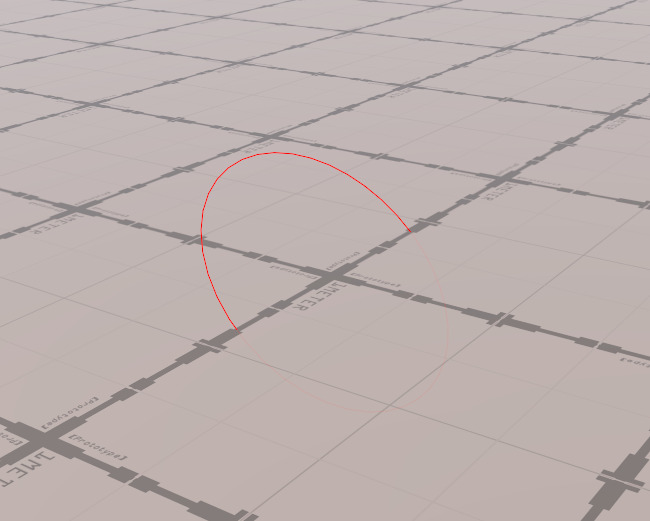
Got me this:
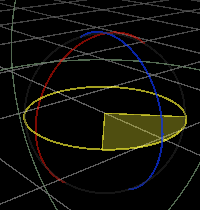
Hey, yes thats correct, however I dont want to create a full circle, I basically want a pie chart. Like this:
This requires a normal, a start and an end angle, which is not possible. The normal just draws a whole circle and the angle-based function doesnt allow to input a normal. Its called by Draw.ingame.xy.SolidCircle or Draw.ingame.xz.SolidCircle, the yz axis is sadly missing which is my problem.
Thank you tho 
Hi
What you can do is to wrap your drawing in a WithMatrix scope to rotate e.g the XY plane into the plane you want to draw in.
Not quite as nice as a zy accessor admittedly, but it will work pretty much identically.
1 Like
Hey, I’ve actually solved it by going for the double arch apporach, I basically just calculate the Theta, then take the absolute value and check wether or not its > 178°.
If thats the case, I calculate the “mid point” by doing Quarternion.AngleAxis(179 * sign, _axis) and multiply by the starting direction. (sign being the sign of Theta)
After that I just Draw two arcs from the startingDirection to the middle point, and from the currentDirection to the middle Point.
If its less than 179° I just draw one arc from startingDirection to currentDirection. ^^’
Hope that helps anyone who needs to do the same. ^^
I will try the WithMatrix thing later and see if its worth changing my implementation as I’ve moved on already. Thank you