- A* version: 5.4.6 (Pro)
- Unity version: 6.3
Backround
Hello. I recently migrated from the Unity Navigation Package to A* since the Unity Native solution is just not flexible enough for my game project. Overall i am very happy with the package, the pathfinding works great.
However, i struggle with one particular use-case which is mandatory for me. In my game the gameplay takes place on the ocean in-between a number of islands in a randomly generated open world. As soon as the player approaches an island, the Island mesh is generated and also the pathfinding graph should be generated. I spent a lot of effort to ensure that the on demand level generation does not affect the framerate and is therefore un-noticeable by the player. The navigation mesh generation was also the main reasons to switch to A* because i was hoping that it is flexible enough to achieve good results performance wise.
Problem
My naive approach to implement A* was to use a recast graph with scanning to generate the navigation mesh for an island at runtime. However this is simply not fast enough, i causes big lag spikes when the nav mesh is generated when the player approaches an island. Using the async api for graph scanning helped a bit but is simply not good enough.
This is my current generation code as reference:
_navGraph = AstarPath.active.data.AddGraph(typeof(RecastGraph)) as RecastGraph;

_navGraph.forcedBoundsCenter = new Vector3(centerX, 0f, centerZ) + transform.position;
_navGraph.forcedBoundsSize = new Vector3(targetWidthX, 500f, targetWidthZ);
_navGraph.collectionSettings.rasterizeColliders = true;
_navGraph.collectionSettings.rasterizeMeshes = false;
_navGraph.collectionSettings.rasterizeTerrain = false;
_navGraph.collectionSettings.layerMask = (1 << LayerMask.NameToLayer(Constant.Layer.Level)) | (1 << LayerMask.NameToLayer(Constant.Layer.Void));

_navGraph.characterRadius = 5;
_navGraph.cellSize = 0.8f;
_navGraph.maxEdgeLength = 100f;


//AstarPath.active.Scan();

foreach (Progress progress in AstarPath.active.ScanAsync())
{
    Debug.Log("Scanning NavMesh... " + progress.ToString());
    yield return null;
}
Game World
I generate my game-world from a Voronoi Graph with a hightmap to raise the island above the sea level. The voronoi graph or more specifically the inverse delaunay graph (partially sketched red in the screenshot) would be the perfect foundation to generate the navigation graph from.
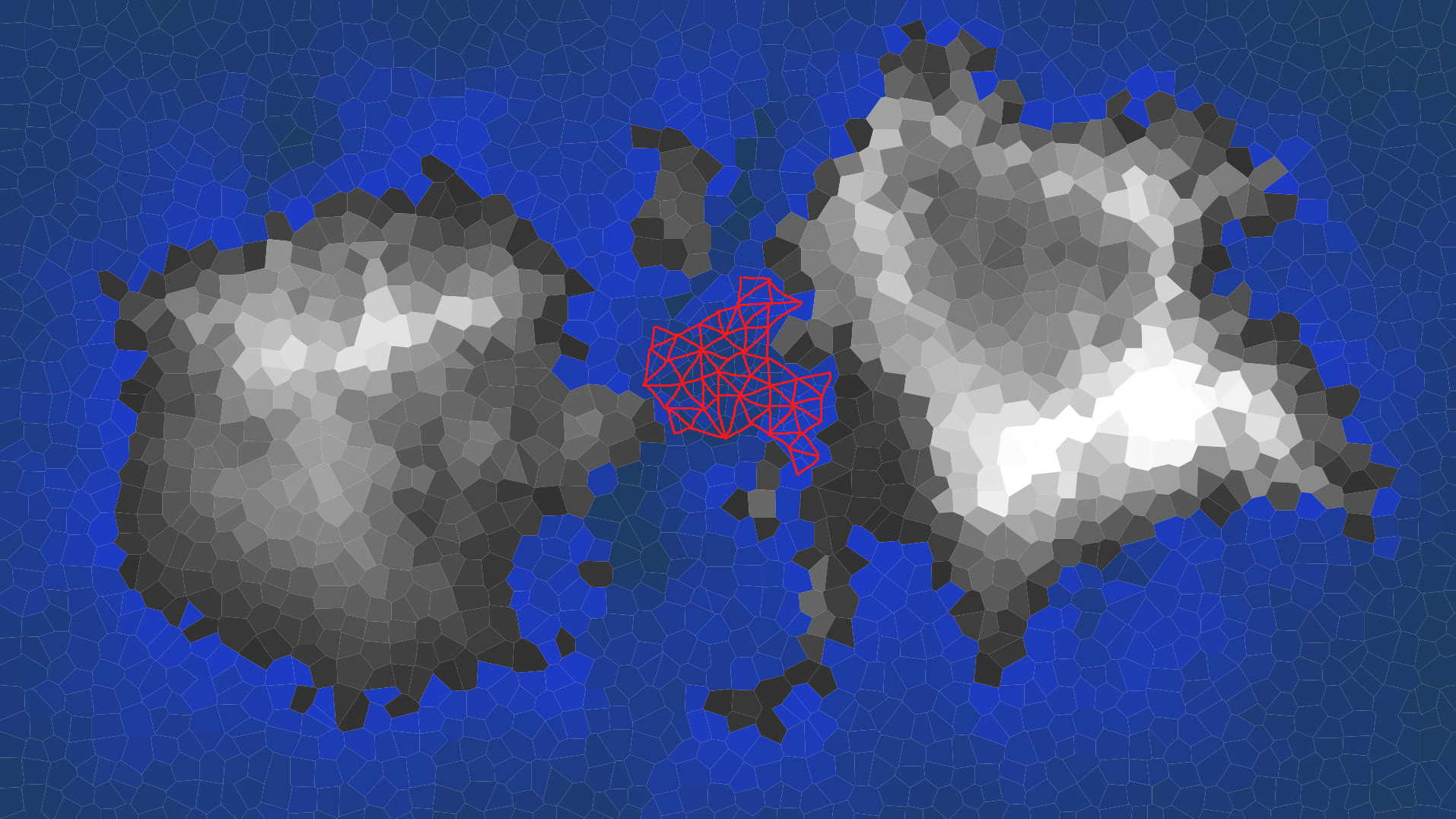
I am hoping to be able to generate a NavMeshGraph based on the delaunay triangulation of the game world. I have the triangulation algorithm already implemented for island collider and is is very fast and i can even offload it to a background thread. All i am missing the an approach go manually generate a NavMeshGraph from my known set of triangles and connections.
Questions
I have examined the documentation closely but there is no example covering my use-case.
Creating a nav mesh manually example (Documentation: Get Started → Using nav meshes → Creating a navmesh manually) still involves calling Scan which is to slow. What I did not try is to still use this approach with filtering every layer for the scan except the manually generated delaunay triangle mesh which would be the source mesh. But i expect it to still does many raycasts during scanning.
Obviously i could as a last resort simply generate a point graph at runtime (Documentation: Graph generation → Creating graphs during runtime) which would be trivial by using all voronoi cells as points and neighbor cells as connections.
But i expect that the pathfinding quality on the point graph would not be as great as with a NavMeshGraph graph with proper triangulation. Especially because i have all information for the NavMeshGraph basically for free.
Request
Can someone point out how to generate a NavMeshGraph manually without the use of scan? I think this should be very doable and would hopefully not be to complex. I guess i could dig in the library code to eventually figure this out myself, but maybe someone has done this already and point me in the right direction or maybe share some pseudo code with source references in which steps are necessary to point me in the right direction?
