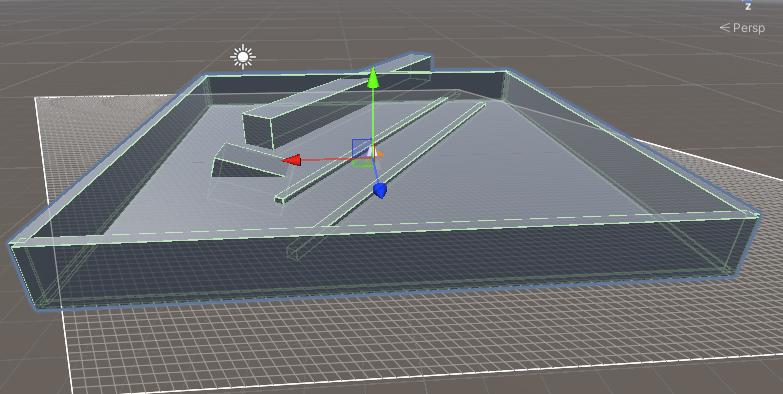
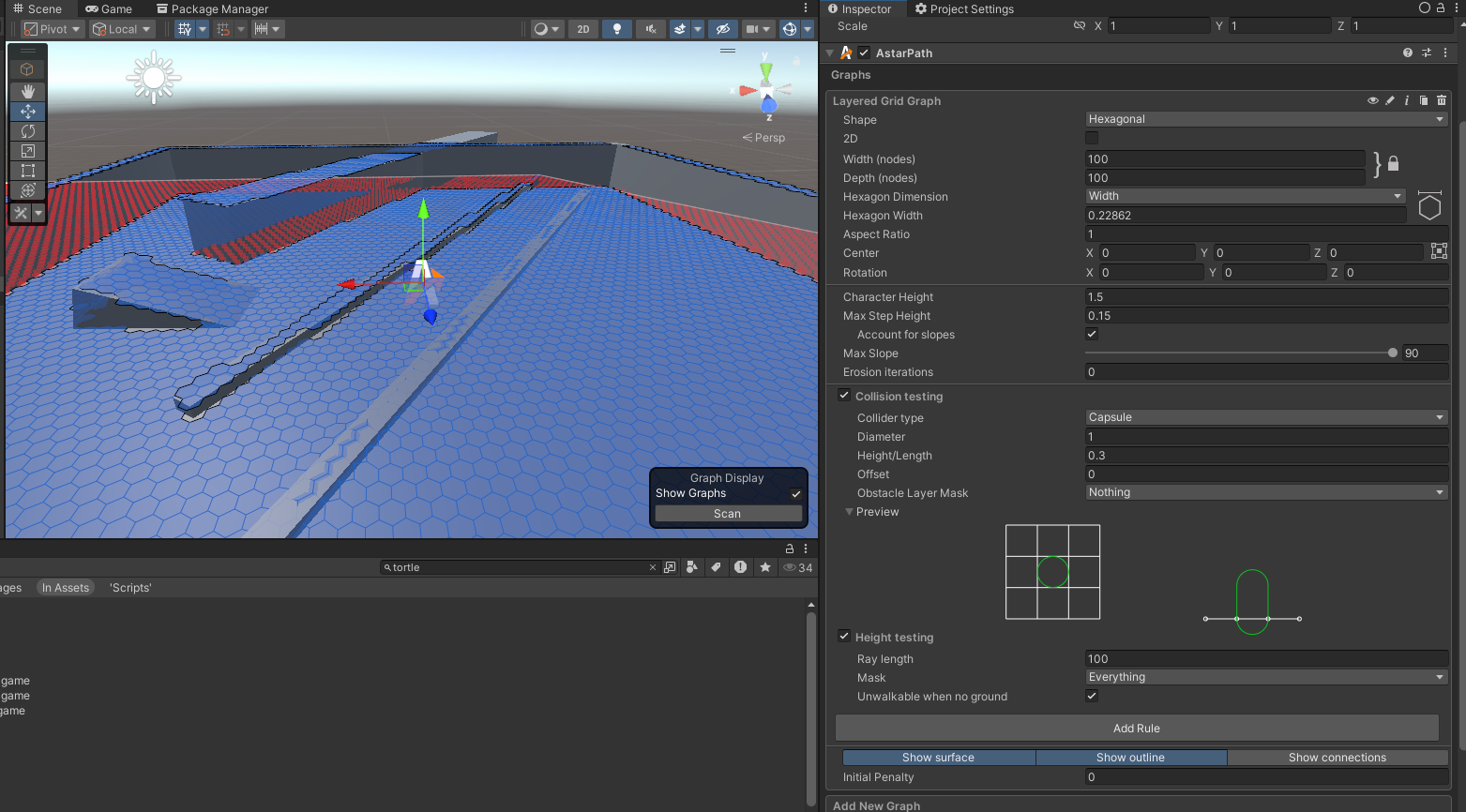
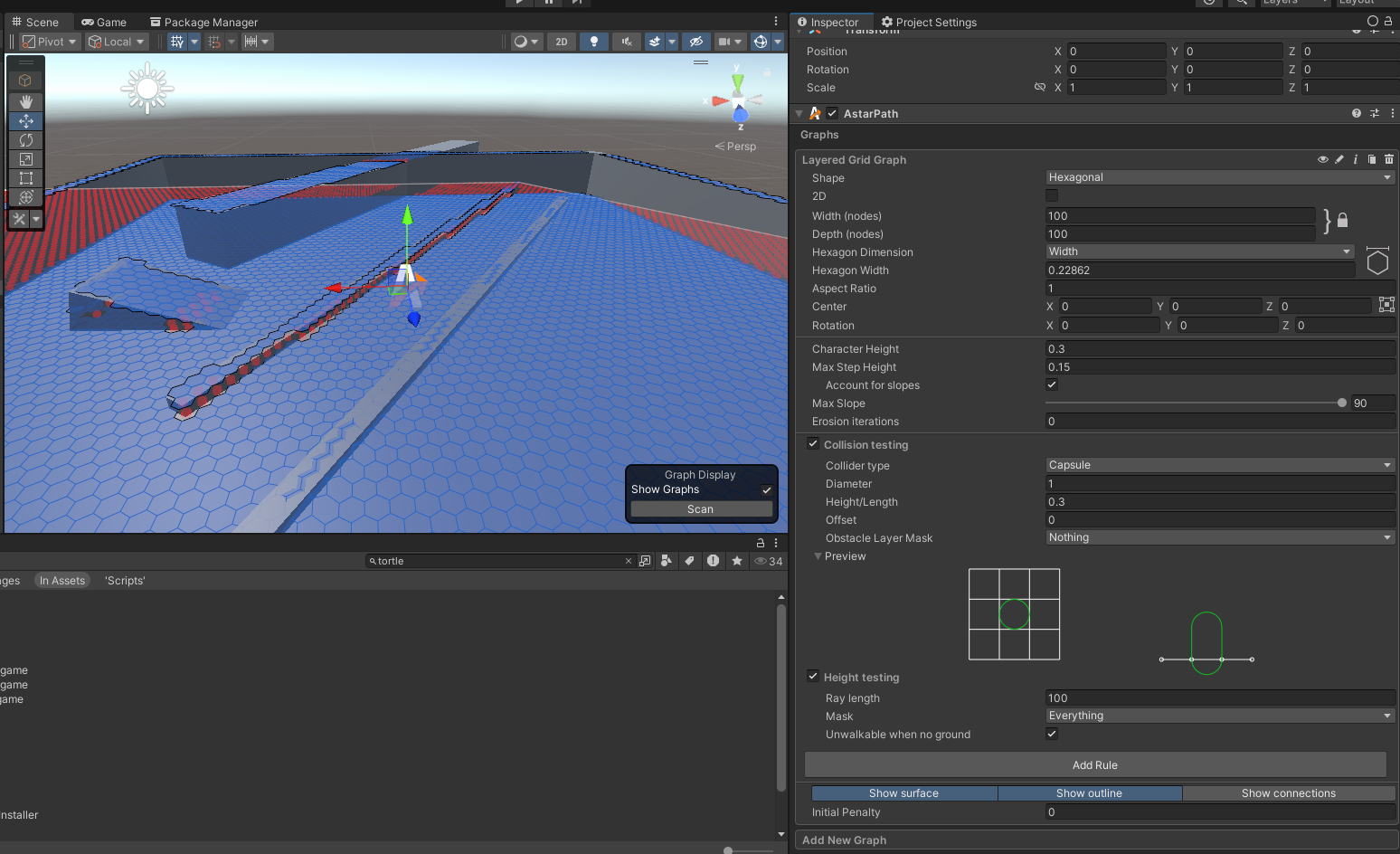
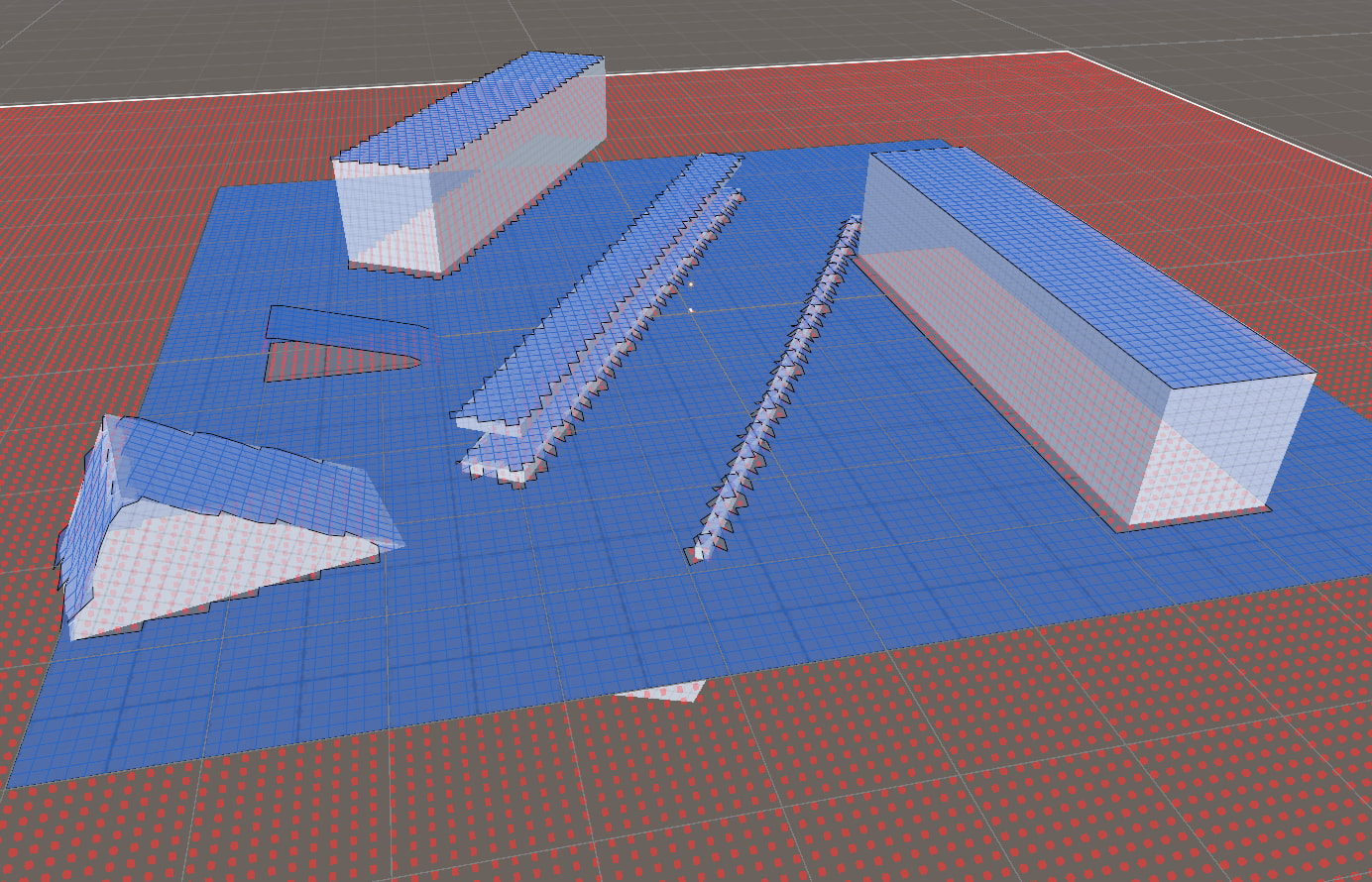
I am using the Layered Grid Graph with a Pro License. I am trying to configure my graph so my agents (0.3 unity units height, rigidbody) can not walk through obstacles. above their stepheight. My expectation: Anything above the stepheight will create walkable nodes on top and unwalkable nodes inside at the bottom of the collider. This behaviour works for small heights, but as soon as I have a higher collider like in my example where my 0.3 height agent also definitely shouldn’t pass through, it instead makes both the top and the inside walkable. If I set the character height to something higher, it will do the correct behaviour for the high collider, but not for the lower ones. With the slope, it works with no setting as it still lets agents walk through the slope obstacle instead of making all nodes unwalkable underneath the slope as I would expect.
Please let me know how to achieve the desired behaviour. The current one doesn’t really make sense to me, so I’m sure I am overlooking a setting or something cause this seems like a pretty basic use-case.
I’ll have to ask about this one. I don’t use the Layered Grid Graph often, since the Recast Graph can handle a lot of its functionality. If you’re doing a game that requires navigating a hexagonal grid with overhangs this is a good choice for you, but I do want to note if both of these are not true (ex: hexagonal grid, but no overhangs or no hexagonal requirement, but needs overhangs) then I’d look at either Recast or just a normal Grid Graph.
I’ll tag Aron to review this though since I’m not sure how to handle this case
I’d like to have the possibility to tag nodes in a reasonably granular manner or give them penalties according to my agents preferences, both in run-time. If I understand correctly, I wouldn’t be able to do that with a Recast Graph because the resulting nodes are not “tidy” enough in terms of size and shape. The graph will change during run-time because I have a build-mode with a grid, and I’d prefer the navigation to be parallel to that grid. On top of that I am used to work with a (non-layered) Grid-Graph from previous projects and I’d like to keep my learnings.
I am a bit confused about where the discussion is going, is the layered Grid-Graph not able to mark the lower layer nodes as unwalkable where an object is in the way? I really don’t understand why I am getting these results in the first place. Obviously, if I have an agent of height 0.3, I’d like it to not be able to go through a 2m blocking object, so why does the Layered Grid-Graph not mark these nodes as unwalkable accordingly unless my agent is closer to the height of the object? Is this not a bug?
Also, why isn’t it generating the groudlayer of nodes correctly underneath my slope object? I’d expect it to generate unwalkable nodes underneath if the object is higher there than the agent’s stepheight, because it is a blocking object that the agent can not step on, so they shouldn’t be able to just go through the object, no?
Mostly because if Layered Grid is bugged, if another solution exists that works for you I want to point you to it.
Regardless, I went back to it, because I wasn’t really feeling like this was a bug, and nope, it isn’t. I had to download an old example scene someone sent us in another thread to figure out what was going on, and tldr, set your Offset to something like 1. See if that works?
(one slope is invisible since i was testing something. no mesh renderer)
Thank you for that hint. Apparently it was both the offset which needed to be tweaked (0.4 seemed to be the sweet-spot in my case) and my obstacle layer mask needing to include the layers my obstacles were on. Sounds obvious, but I didn’t realize they weren’t because it did consider them in the scan, but now I get that this came from the height testing only.
I actually meant to ask about your layering/make a note about it but I was also reading other posts and confused myself haha. Glad you got it going though.