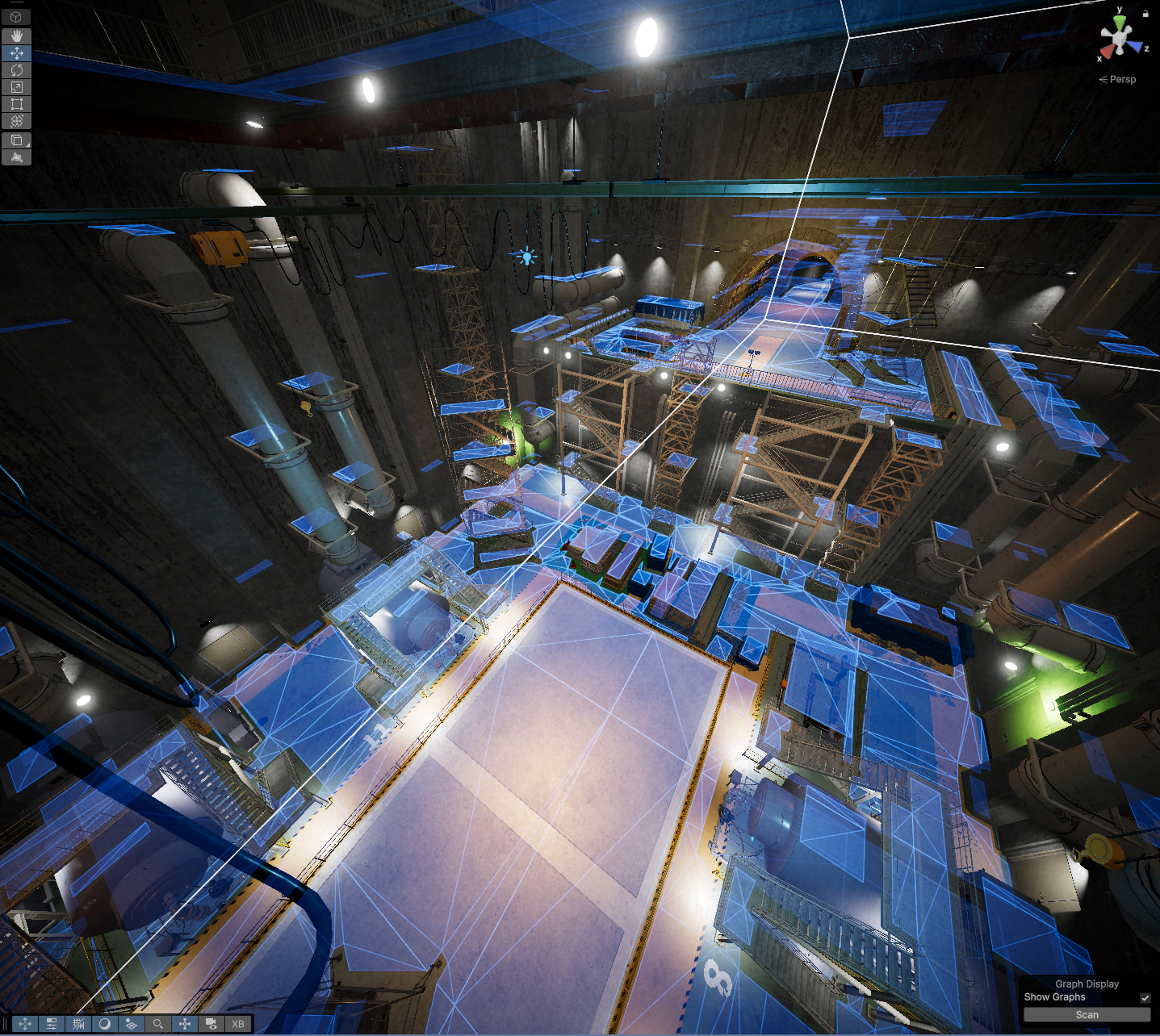
My game relies on the navmesh for several systems like generating patrol routes and finding cover for AI. These systems work under the assumption that the AI can actually get to any point on the navmesh.
When generating on my level, there are hundreds of disparate islands of nav scattered throughout every nook and cranny of the level. Even if I manually tagged all props as unwalkable, there would still be areas with wall crevices or otherwise totally unreachable points that would take hours to manually mark off with volumes.
I only need one interconnected island, and that’s the largest island in the level. How can I make it so there’s only one interconnected island of nav in the level? I bought this asset after spending days writing a BFS flood-fill algorithm to do this with Unity’s system, only to find that you couldn’t actually set the navmesh manually.
Oh, so already tried using the “Min Region Size” property. But this doesn’t work if you have tiles (regions sharing two tiles will always remain), and if I turn off tiles, the entire system breaks! Scanning gives me no navmesh. Very strange.
I think you may want to look into IsPathPossible which you’d have your agents call before committing to a location if there’s no way to access it from where they are.
That’s not the issue! I’m baking a bunch of nodes around the level with the assumption that it can be traversed to. Having nav behind walls would be very inefficient (baking takes lots of comp) and would completely mess up patrol routes!
Hey there, sorry for the late response; this got marked as read so it got swept under. Feel free to ping me on the thread if you find yourself waiting more than a week for a response.
If you want them just gone completely, you’ll need to mark those objects as unwalkable still. To the best of my knowledge there is no “only keep the areas I want” toggle– it’ll have to be a mix of things. This looks like a manually made map, right? I wouldn’t call it unheard of to use volumes with RecastNavmeshModifier, setting all props to a layer and marking all of that layer unwalkable, etc.
I do want to also go back to this and say you can use a Navmesh Graph with your own mesh provided to it instead of a Recast Graph, if you’ve already gotten the system to create the navmesh. Which it sounds like you do.
I want to test how programmatically removing nodes that aren’t part of the same area would go, but only if that’s the route you’re trying to go. Let me know if that’s what you’re trying to get out of this.
You can technically do this after the level has been generated:
AstarPath.active.AddWorkItem(ctx => {
    // Some point you know is in the "correct" area
    // You can also calculate this based on the number of nodes by node.Area value, but that takes a bit more code.
    var representativeNode = AstarPath.GetNearest(...).node;
    var graph = AstarPath.active.data.recastGraph;
    graph.GetNodes(node => {
        if (node.Area != representativeNode.Area) node.Walkable = false;
    });
    // Ensure off-mesh links are recalculated, if there are any
    ctx.DirtyBounds(graph.bounds);
});
There are some limitations to this, though. Primarily, it will not work with moving obstacles or navmesh cuts, since they will cause the graph to be recalculated, and the walkability to be reset.
There is also the RelevantGraphSurface - A* Pathfinding Project component which does pretty much what you want, but it works on a tile granularity. So you’d have to place one representative marker for the valid region in each tile, which can be a bit of a chore.
If you have objects that the agent should never be able to traverse, then I’d recommend either adding the RecastNavmeshModifier (with the appropriate settings) to them to mark them as unwalkable, or to use the Per Layer Rules in the recast graph settings to mark them as unwalkable.
We used that solution as our basis, combined with seed points. So the pruning uses a bunch of points, at least one of those points needs to be reachable, otherwise the polygon is pruned. This makes all those tiny isolated islands go away.