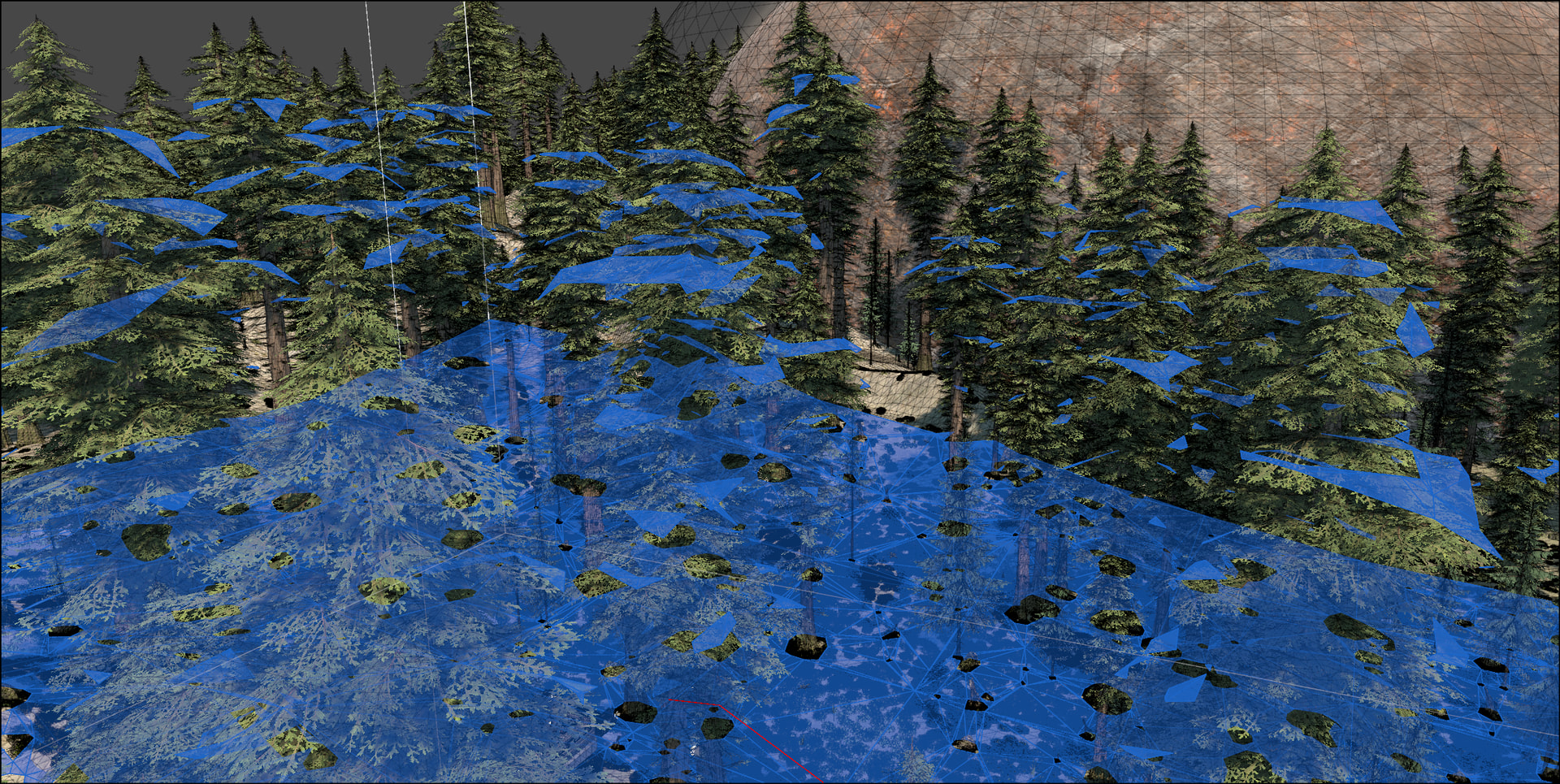
Is pathfinding performance impacted by scans which include these planar surfaces found on trees?
Ideally, there would be an option to have the filter layer option not only create cuts, but prevent the associated colliders from being navigable. From my perspective this is strange behavior. The filter creates cuts – but then allows these same colliders to be navigable?
You can either use RecastNavmeshModifier or, if they’re all on the same layer, Per Layer Modifications in your graph settings. You’re using NavmeshCut for these?
Hey tealtxgr!
They are all on the same layer. I’m not specifying navmesh cuts – this is just what scan produces.
Hi
This has been fixed in the latest update. 
1 Like
Hi @aron_granberg
Is this intended to be fixed in 5.4.5? I’m still seeing the behavior – is there a specific step I should take to have the tree surfaces not be navigable as shown in the screenshot above?
Sorry, I was unclear.
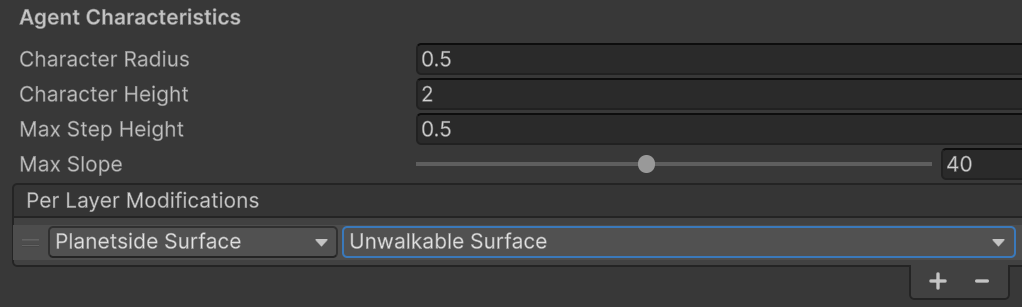
Previously, a lot of settings from the recast graph settings were ignored for trees specifically. Now you can for example set Per Layer settings for the layer that the trees are on, to make all tree surfaces unwalkable. You can also attach a RecastNavmeshModifier to the tree prefabs and mark them unwalkable.
Trees are just geometry, after all. There’s no inherent reason that they should always be unwalkable. People use the tree system on terrains for all kinds of things which are not actually trees too.
Thanks, @aron_granberg
I think the per-layer setting is not persisting. My vegetation layer is on “Planetside Surface”.
The AstarPath script is placed on a disabled game object, which becomes enabled at a later time during playback. When the game object is enabled, the per-player modification switches to Walkable.
*edit. I was able to work around the behavior by changing the per layer modification with the game object enabled, and then disable it again after the edit.