-
ALINE version: 1.7.8
-
Unity version: 6.3 LTS (6000.3.1f1)
-
Render pipeline: URP
Hello!
There is an unexpected difference in behaviour of
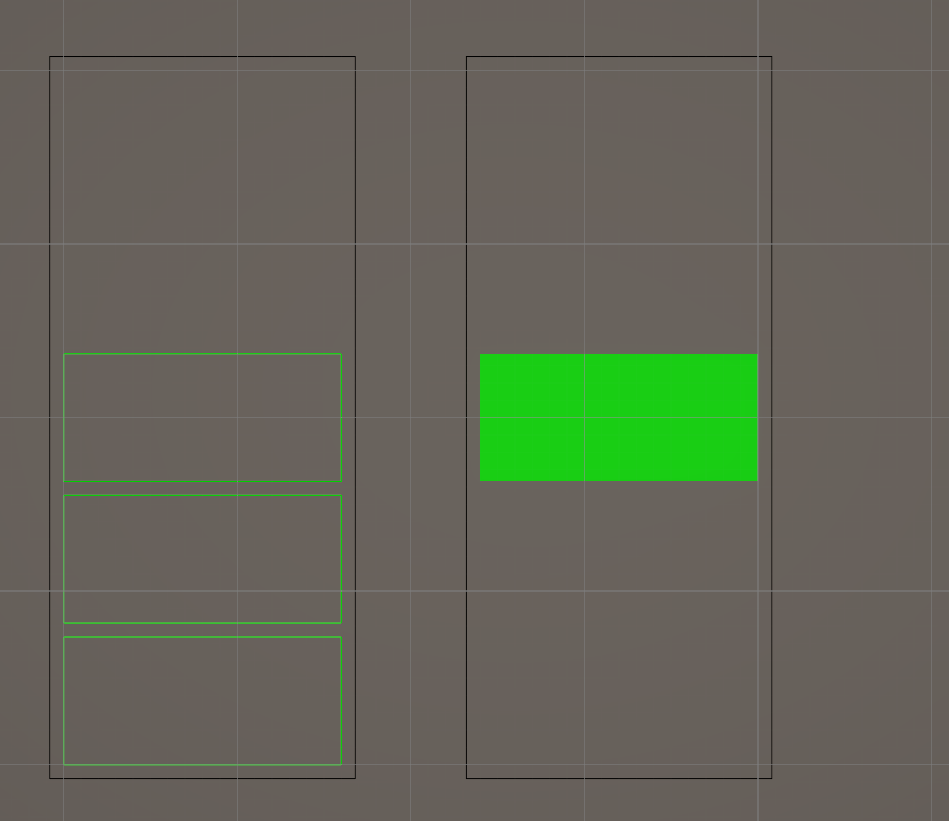
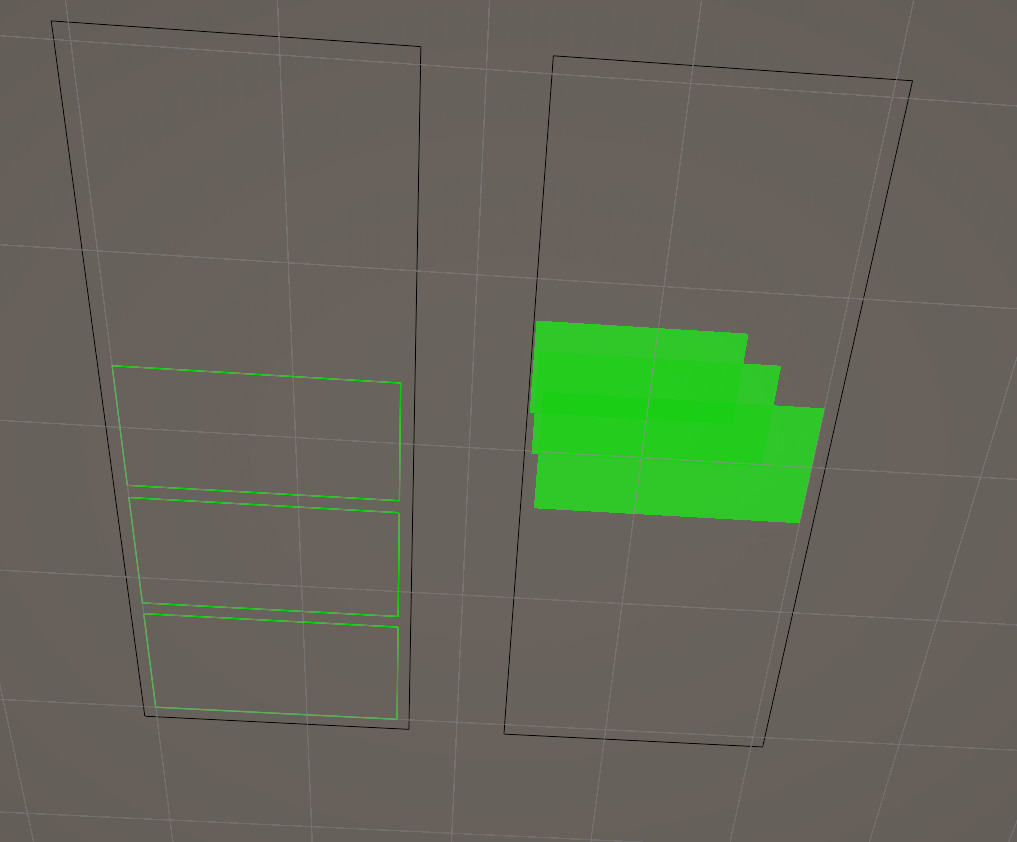
Draw.xz.WireRectangleandDraw.xz.SolidRectangle.Solid version does not respect shift in the y (or actually applies it to y coordinate instead.
I have a code that renders pseudo-debug UI. I wanted to have a set of discrete bars, and here I found the issue. There is a code that renders same thing in XZ plane, one in wire mode, one – solid.
Wire one looks ok, solid one is wrong.
Perspective, showing solid behaviour.
Source code to reproduce and experiment.
using System;
using Drawing;
using Unity.Mathematics;
using UnityEngine;

namespace Sources
{
    public class Test : MonoBehaviourGizmos
    {
        [SerializeField] private int count;
        [SerializeField] private bool solid;

        [SerializeField] private BarDimensions barDimensions;

        [Serializable]
        public struct BarDimensions
        {
            public float width;
            public float height;
            public float spacing;
        }

        public override void DrawGizmos()
        {
            var draw = DrawingManager.GetBuilder(true);
            DrawCount(ref draw, count, 5, transform.position, barDimensions, Color.green);
            draw.Dispose();
        }

        private void DrawCount(ref CommandBuilder cb, int count, int max, float3 worldPos, BarDimensions dimensions,
            Color color)
        {
            var totalHeight = dimensions.height;
            var barHeight = (totalHeight - (max - 1) * dimensions.spacing) / max;

            // Rect is defined by lower-left corner, width, height
            // worldPos is center of the whole bar stack
            var x = worldPos.x - dimensions.width / 2;
            var z = worldPos.z - totalHeight / 2;

            var rect = new Rect(x, z, dimensions.width, barHeight);
            // Bar increment in height including spacing
            var height = barHeight + dimensions.spacing;

            // Let's draw a background frame
            var spacing = dimensions.spacing;
            cb.xz.WireRectangle(new Rect(x - spacing, z - spacing, dimensions.width + spacing * 2, totalHeight + spacing * 2), Color.black);

            for (var i = 0; i < count; i++)
            {
                if (solid)
                    cb.xz.SolidRectangle(rect, color);
                else
                    cb.xz.WireRectangle(rect, color);
                rect.y += height;
            }
        }
    }
}