Is there a way to disable logging of CollisionMeshData errors in built players? This is the level of output I’m seeing from builds:
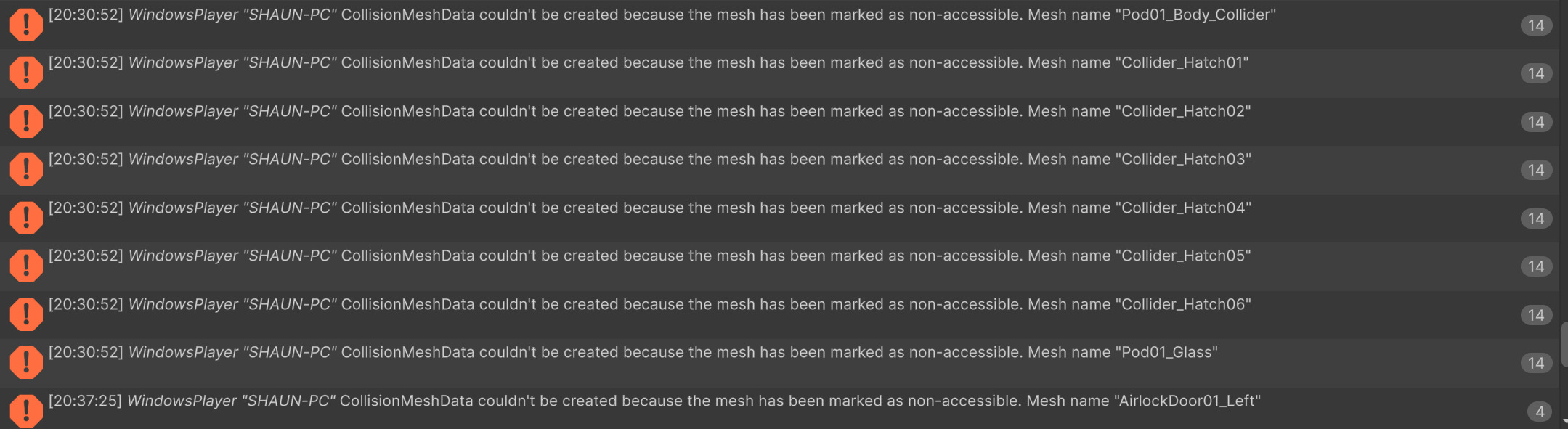
I wouldn’t mind seeing this error in the editor – it would be helpful.
Is there a way to disable logging of CollisionMeshData errors in built players? This is the level of output I’m seeing from builds:
I wouldn’t mind seeing this error in the editor – it would be helpful.
I’ll flag this as a suggestion, thanks for posting it  Seems like something a good ol’ directive could handle pretty cleanly in a future version.
Do you know where I can find this code to disable the warning? I’d like to disable these warnings due to the performance impact of this copious output.
It may not be possible to make every mesh readable that exists on that layer.
*Update. It’s in multiple places.
What is the thought process behind disabling these errors in the editor? This is when I need them most, unless I am misunderstanding something.
#if UNITY_EDITOR
			// This skips the Mesh.isReadable check
			Mesh.MeshDataArray data = UnityEditor.MeshUtility.AcquireReadOnlyMeshData(meshData);
#else
			Mesh.MeshDataArray data = Mesh.AcquireReadOnlyMeshData(meshData);
#endif
Hi
It should be showing the warnings in the recast graph inspector in the editor.
@aron_granberg It appears the design intent may be to minimize errors when meshes are not readable? I understand that desire, but I think it results in counter-intuitive behavior at runtime.
It groups meshes together (‘meshData’) for one call to AcquireReadOnlyMeshData. However, if a single mesh in that list is unreadable, an exception is thrown, only during playback. That’s probably why the #if (UNITY_EDITOR) check exists to switch to MeshUtility.
Instead of throwing an exception, I think it would be more helpful to filter out non-readable meshes and continue to log a warning.
By filtering out unreadable meshes, the code may use Mesh.AcquireReadOnlyMeshData(meshData) instead of UnityEditor.MeshUtility.AcquireReadOnlyMeshData(meshData). The behavior in the editor and player would then be the same.
Agreed – it may be logging these warnings in the graph inspector. Thank you and I’ll take a look.
To simplify what I am trying to explain… having the behavior be different during playback vs editor is a bad end user experience. Having it log so many errors that performance is an issue is an error.
Hopefully I haven’t sent too many messages here.
It looks like Unity 6.6 changed the default behavior for colliders such that baking is disabled by default. That change may be the source of the issues I am encountering. I’m still wrapping my head around what is different.
You’re totally fine, sorry I haven’t been very active, just got back to the forums! So before 6.6 you weren’t seeing these as often? Or you were seeing better player performance better before 6.6? At any rate thanks for that nugget of information, about the 6.6 change, very helpful.
I upgraded to Unity 6.6 and the latest APathfinding at the same time and incorrectly thought the change was introduced by A*Star. It’s all resolved for me but as a heads up, here’s the thread discussing the change:
If a user switches to Content Directories (as I did), Unity 6.8 disables mesh baking in builds unless specifically configured per MeshCollider.