I’m on Pro A*, currently on version 5.0.9 - I know there’s a newer version but I don’t want to update unless I need to as the game I’m using this for has already launched.
I’ve noticed there can be a wide window of discrepancy between how long it takes for my enemies to move along their path, depending on framerate and timescale in Unity.
Below are my debug logs, the blue tile is the average of the 9 takes I tried with every setting. Note the big difference between 120fps x2 and 30dps x3, almost 2.5 seconds. This is the exact same
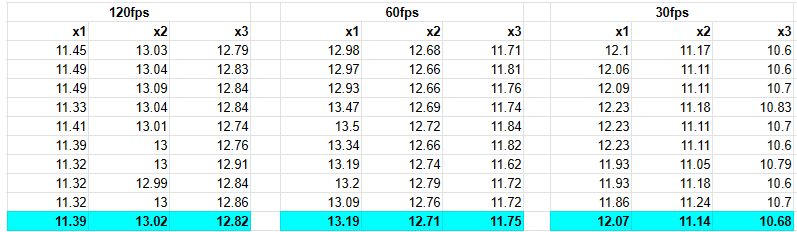
The experiment uses Time.time starting the moment the unit passes one cross, and then logging when it reaches the next.
I’ve tried changing the Seeker start/end points, changing the aStar optimisasion, thread count settings, disabling the RVO controller… nothing seems to make a difference.
Is there something I’m missing, or a module I can use / change to to make the movement speed more consistent?
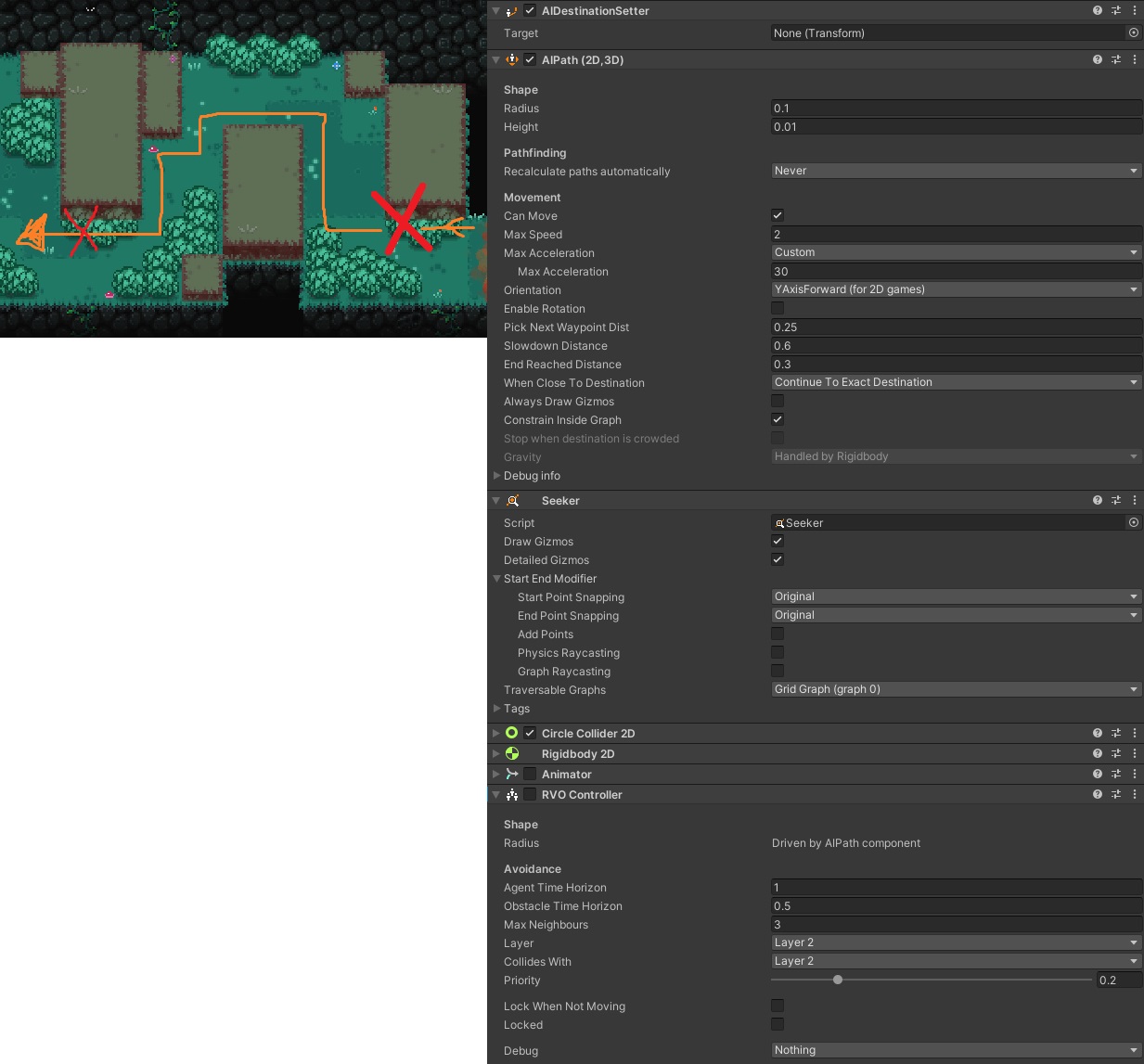
Here are the settings the object is using:
Many thanks,
Josh.