Been diagnosing a potentially strange issue with the IsPathPossible method in PathUtilities.
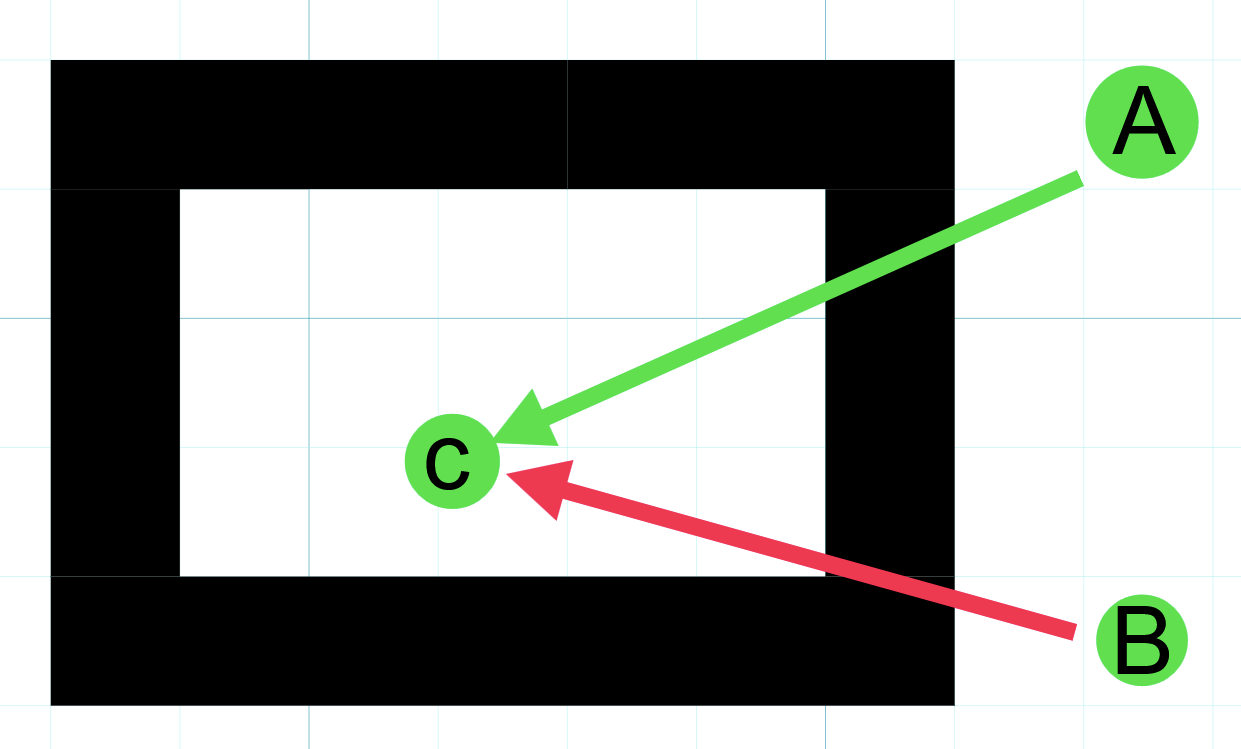
The situation is that there is a point in an unreachable area of the graph enclosed within a ring of unwalkable space. In the above diagram, that’s point C within the black ring being the unwalkable space.
The issue is that the path A → C unexpectedly returns true for IsPathPossible but B → C returns false unexpectedly. There haven’t been any graph updates of any kind in awhile either. I would expect both potential paths to be false in this case.
This is using a grid graph, where I am getting the nodes for A & B directly via their X/Y coordinate of the graph (I am NOT using their world position). Using version 5.3.6.
The code snippet below is the method doing the lookup. The SimGridCoordinate class is essentially just a structure of a 2D coordinate, the X/Y of this struct is identical to the X/Y of the nodes in the grid graph. The “Agent” referred to in this case is a simulated agent within our game and not specifically an Agent in the A* pathfinding project sense. The parameter origin is being used for point A or B in the diagram and AssignedAgent.Transform.Origin is essentially point C.
I’m sure this is user error somewhere on my part, particularly if I’m using IsPathPossible in an incorrect manner though it seems consistent with the docs. The graph isn’t dynamically changing at the point the issue is experienced and this is well after the graph is scanned as well.
Any pointers here would be much appreciated! Trying to avoid having to do a full DFS for each of my agents to find a path the grid is 1000x1000 nodes!
        public bool IsPathToAgentPossible(SimGridCoordinate origin, MoveType moveType)
        {
            AstarPath aStar = AstarPath.active;

            if (aStar == null)
            {
                return true;
            }

            GridGraph gridGraph = aStar.graphs[0] as GridGraph;
            if (gridGraph == null)
            {
                throw new Exception($"Unrecognized graph on Astar component");
            }

            List<GraphNode> potentialPoints = UnityEngine.Pool.ListPool<GraphNode>.Get();

            potentialPoints.Add(gridGraph.GetNode(origin.X, origin.Y));
            potentialPoints.Add(gridGraph.GetNode(this.AssignedAgent.Transform.Origin.x, this.AssignedAgent.Transform.Origin.y));

            bool ret = PathUtilities.IsPathPossible(potentialPoints);
            UnityEngine.Pool.ListPool<GraphNode>.Release(potentialPoints);
            return ret;
        }
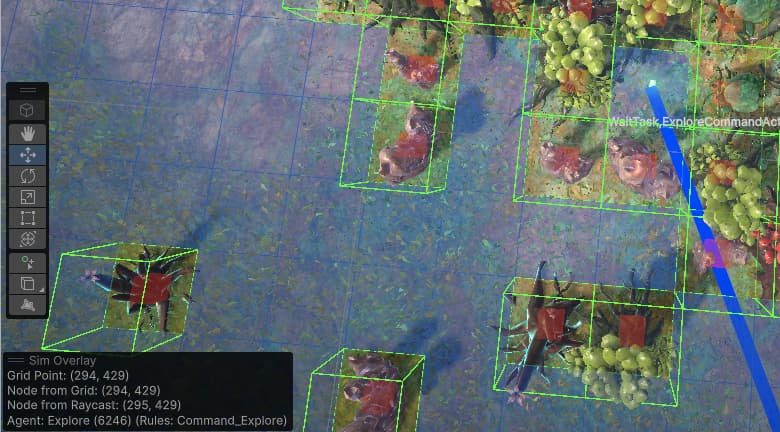
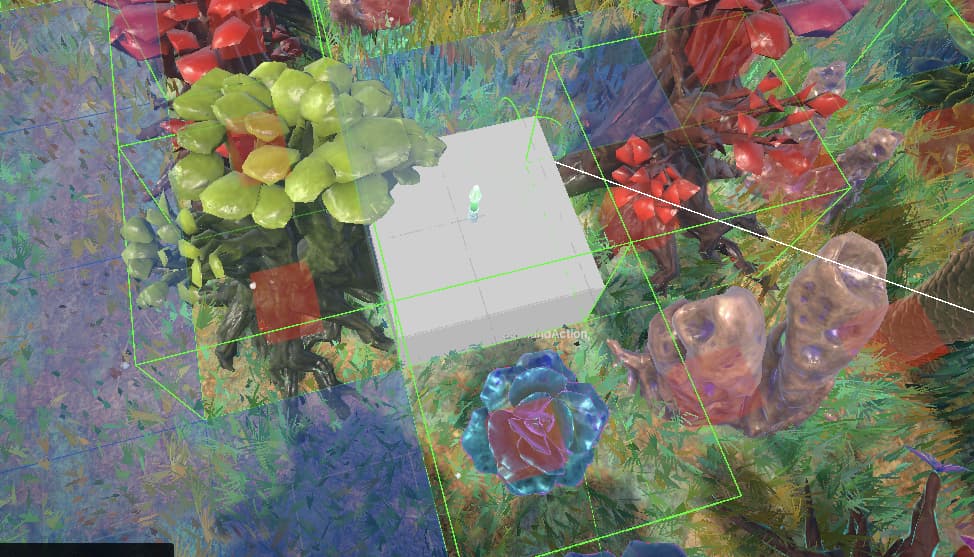
Don’t know how useful this screenshot is, you can see the gizmos for walkable spaces on. The blue line is pointing to what would be point “C” in the initial screenshot from the false positive point A.
In the bottom left i pulled the nearest node from raycasting to the surface of the level and comparing that aginst what the simulation grid in our game is–I did think they should all generally be the same.
Grid Point = our simulated grid that is getting mirrored into our grid graph, this uses our internal logic for getting the grid coordinate from a point in the world.
Node from grid = the coordinate of the node looked up with the coordinates of grid point.
Node from raycast = the coordinate using GridGraph.GetNearest with the hit point of the same raycast Grid Point was derived from.
So, yeah. Looks like an off by one error on our X axis perhaps? Do the graph indices not start at 0? Our internal graph manages indices in row major order.
RE: the method overload. I simplified the method from what’s in the actual source code for the scenario that’s breaking. The code handles more potential points in some cases that I didn’t want to distract in the post but yes this case could definitely just use the two nodes direct!
EDIT: Our code that does the math for our World to Grid Conversion, we do floor not rounding by default, might be the diff.
public static Vector2Int WorldToGridSpace(Vector3 worldCoordinate, float unitLength, bool roundToNearest = false)
{
    worldCoordinate += WorldGrid.worldOriginOffset;
    if (roundToNearest)
    {
        int x = Mathf.RoundToInt(worldCoordinate.x / unitLength);
        int y = Mathf.RoundToInt(worldCoordinate.z / unitLength);

        return new Vector2Int(x, y);
    }
    else
    {
        int x = Mathf.FloorToInt(worldCoordinate.x / unitLength);
        int y = Mathf.FloorToInt(worldCoordinate.z / unitLength);

        return new Vector2Int(x, y);
    }
}
Accounting for the off by one does progress the issue so that there are no more false positives, but there are false negatives happening after the nav areas become the same.
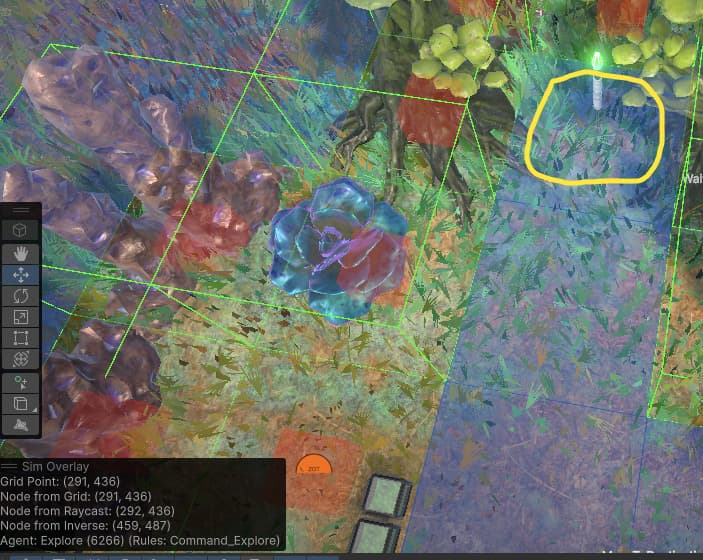
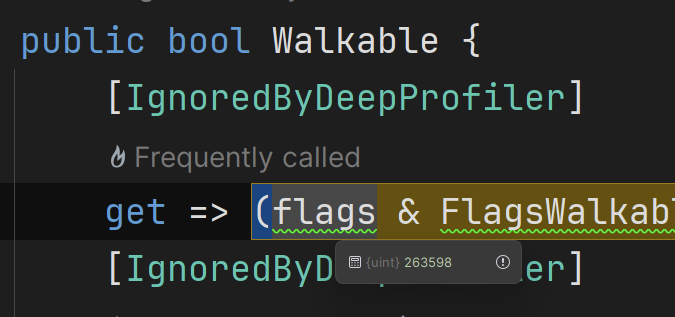
In the first screenshot, the yellow circled cell was previously the un-navigable point and you can see. Using the debugger the node’s Walkable property is false yet the gizmo in the scene view is drawing a blue square there which means it should be a walkable node right?
Below screenshots show the Area of both nodes in the list, which do match.
Looking at this more, I’m not sure an off by one is really the issue. We use the same coordinates to mark the nodes as not walkable frequently. The red cube gizmos for unwalkable nodes in the screenshot with those trees/plants in the prior post are using the same coordinates unchanged and everything lines up precisely.
To confirm I re-transformed the Graph Node back into world space (using GridGraph.GraphPointToWorld) and drew a cube gizmo at the same location. For some reason the node just isn’t considered walkable in certain cases:
In this screenshot there’s a false positive where this spot is considered to have a possible path and yet none of the pathfinding components actually can find a path from point a to point b.
Ah! Yes, not recomputing the connections may have been the issue. I moved how I set the walkability of nodes up into a work item and called CalculateConnectionsForCellAndNeighbours on the nodes I modified the walkability of. It now seems to be working how I expect! Thanks for the help.