I was wondering how’d id be able to check if an AI isnt moving while having a valid path to its destination. Sometimes it’d get stuck on a wall and I need a way for the script to check if that happens.
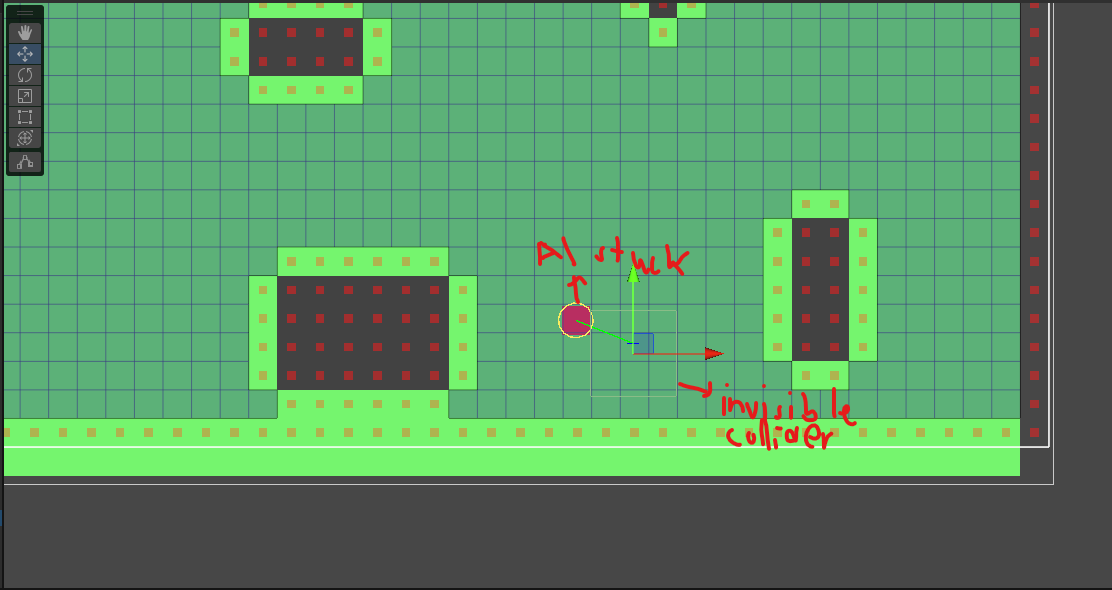
Within Astar I don’t know if this functionality exists, but it’s easy to make manually:
Vector3 positionLastFrame;

int positionSamples;
float averageDelta;
float stuckMagnitude;

int samplesCollected;

// We'll gather the average movement from the last 10 frames
// This doesn't account well for acceleration and stuff like that, but that could be added
bool CheckIfStuck(){
	// Check if we got our 10 sample frames.
	// If we do, average out the samples then see if we're stuck.
	if (samplesCollected > 9){
		averageDelta /= positionSamples;

		if (averageDelta < stuckMagnitude){
			averageDelta = 0;
			return true;
		}

		averageDelta = 0;
	} else {
		// If we're not at 10 samples yet, take another.
		averageDelta += Vector3.Distance(positionLastFrame, transform.position);
		samplesCollected += 1;
		positionLastFrame = transform.position;
	}

	return false;
}

void Update(){
	if (CheckIfStuck()){
		// Do your "unstick" logic here"
		Debug.Log("I am stuck!");
	}
}
Just a super quick rough and untested example of what that may look like. You could probably even do this better if you do use Astar and check remainingDistance instead of a position delta.
But is there an “isStuck” within Astar? Not that I’m finding when I look.
1 Like
Hi, thx for the code and advice, I’ll try this out once I get back from vacation
1 Like