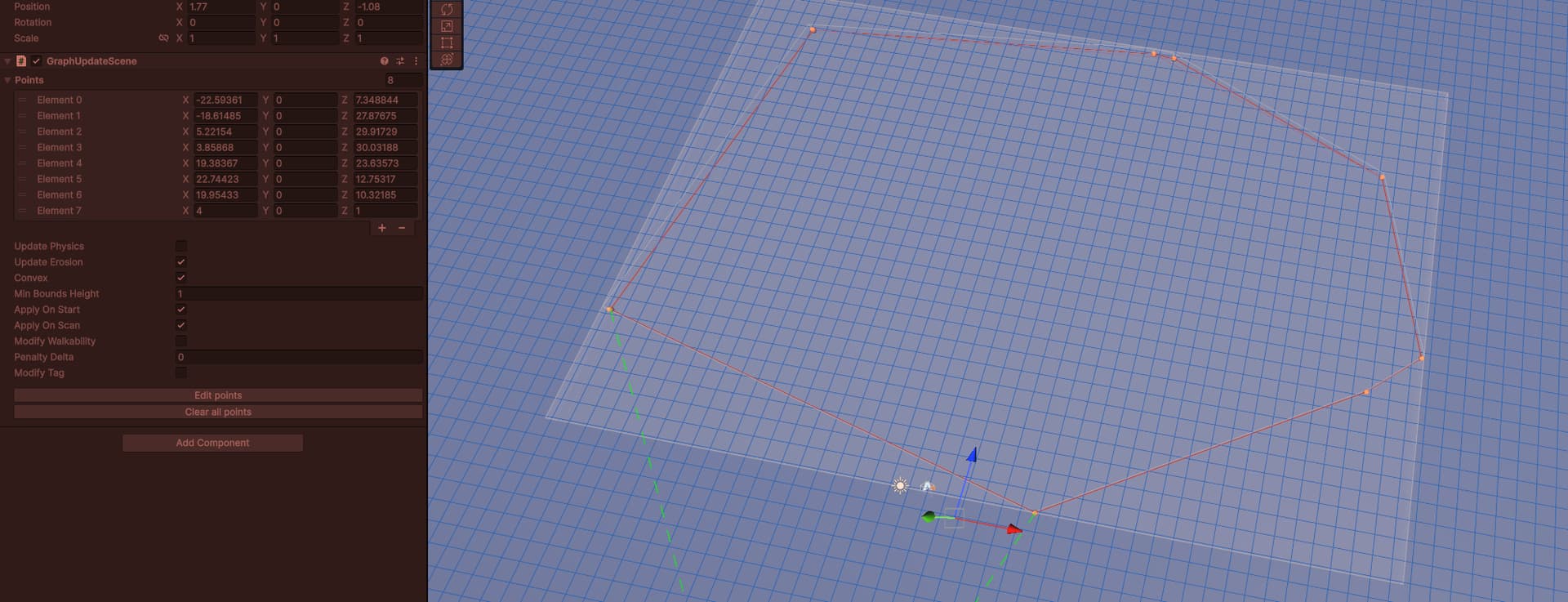
I found a bug with GUO editing when GUO is prefab
steps on the video https://drive.google.com/file/d/1kJ4WjwRBrl6LNp2n2kChwvTVOzWAdpdV/view?usp=sharing
If there is a more suitable place for bug reports, please point me to it.
I found a bug with GUO editing when GUO is prefab
steps on the video https://drive.google.com/file/d/1kJ4WjwRBrl6LNp2n2kChwvTVOzWAdpdV/view?usp=sharing
If there is a more suitable place for bug reports, please point me to it.
Very interesting behavior. What version of the Asset is this in?
it is reproduced in 5.3.6
On what version of Unity? I tried this on 5.3.7 and 6000.0.35. Tried to do the same number of points and everything but couldn’t recreate it.
do you make a prefab from an object? It is necessary to make a prefab to reproduce
Yes that’s exactly what I did. Let me know what version of Unity you’re on and I’ll try and recreate it as best I can.
it is reproduced in both 6000.0.30 and 6000.1.10
I got it to happen
but only when I put in your numbers exactly as I could from the video
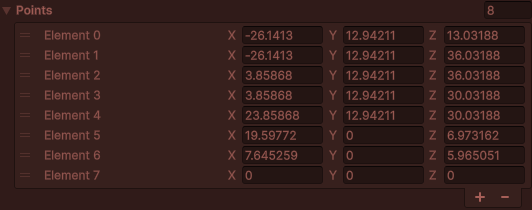
(ignore the red tint, its a play mode tint)
So it seems to be specifically something to do with these values?
When I took all the values and moved them around by dragging the point handles AND set it to Y=0 it seemed to work fine.
Yeah try resetting everything Y=0 and see if that changes anything.
I have this issue in 100% of tries, one more video
it doesn’t depend on the position values for me
Your Y position is offset 12.94211- set that to 0 on the points, the GameObject and the graph then try it. Make sure everything is zeroed out and see if that changes anything. Or if you have done exactly that let me know.
Not saying it’s not a bug, since it looks like it definitely is, but I want to see if the Y position value is what’s causing the bug. That way Aron knows what to look into 
Thanks!
I managed to replicate this.
I think this is due to a limitation in Unity’s Undo system. I added a workaround and it seems to work much better now. I’ll include the fix in the next update.