Hmmm, Just updated to Version 5.1.4 → 5.4.4, but get some issues now:
-
gets lag-spikes of 40-120sec when a building is destroyed in my RTS-ish game (the building has a navmesh-cut on it) // I’m Using Recast Graph.
-
And a larger lag-spike at startup, it usually took 30sec to load, now it takes ~3 minutes to load a map,
(Using AStarPath..data.DeserializeGraphs(MapNbr)) But maybe I have a bad pathfindingmap-setup? It is 4x Recast graphs for different sizes of units, it do complain on the smaller ones, like the smallest: “Size: 10000 x 7000 voxels, divided into 28000 tiles - Might take some time to calculate.” The MapSize is roughly 500 x 350 “tiles” - Like a medium-sized map in a RTS game (which are 1x1 units squares), but a lot of the map is water. And I think I went for RecastGraph because better AI or similar.
I assume I shouldn’t need to create 4x RecastGraphs for each chunk of the map (e.g. mine is split into ~50 chunks when generating map).,
-
Also, is there a way to load in a map on multiple threads? Right now it blocks/locks my loading-icon on loading-screen when starting new match (Maybe was not able to do in 5.1.4, but maybe 5.4.4?).,
- Even tried multiple earlier versions of this tool as well, but some eats all my memory (Unity uses > 20gig memory), and none solve the issue :/.
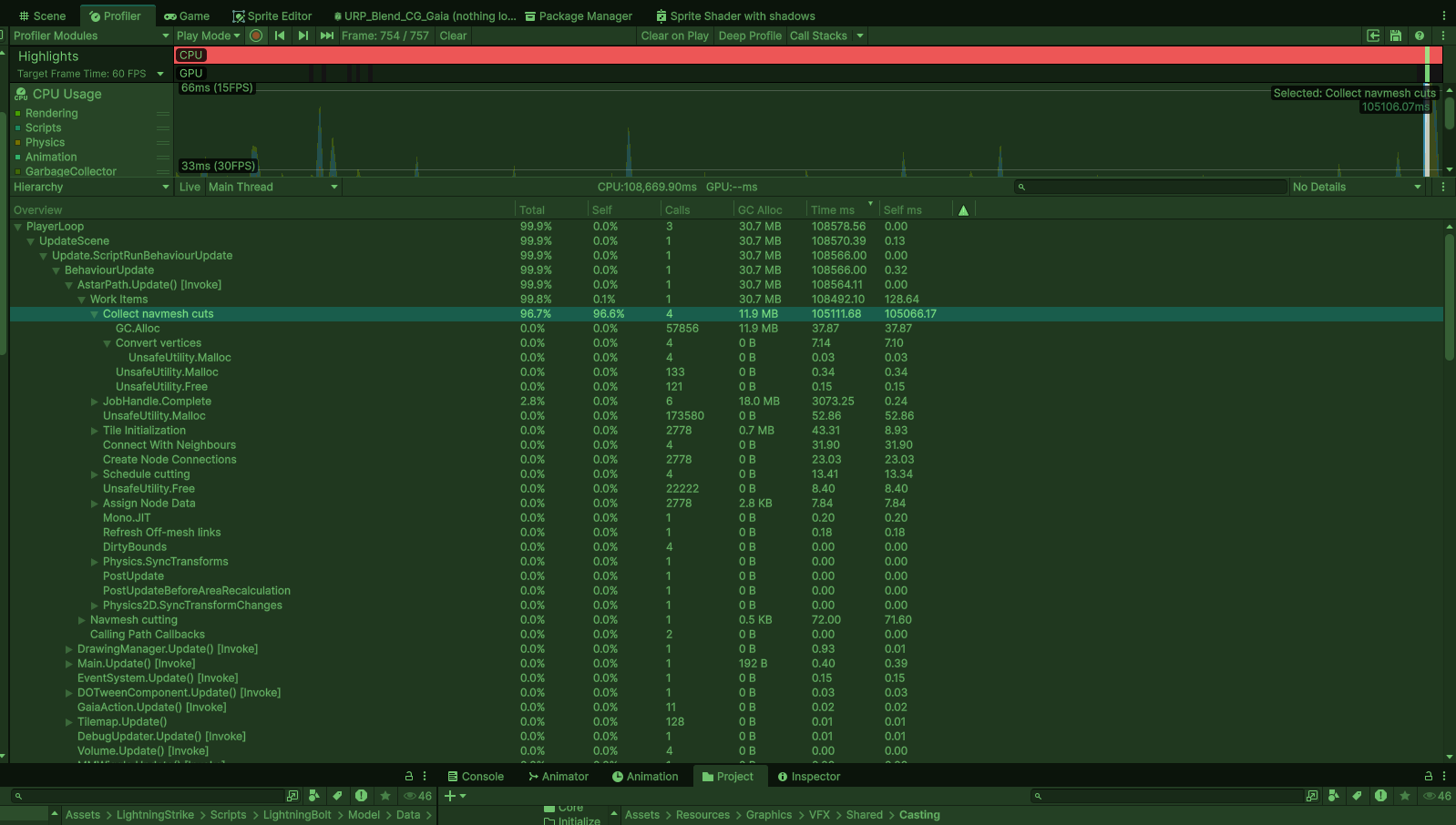
Here is a profile when 1x building is destroyed in-game = it disables the GameObject & disable its BoxCollider (that has NavMeshCut on it). (edited)Tuesday, October 7, 2025 10:27 PM
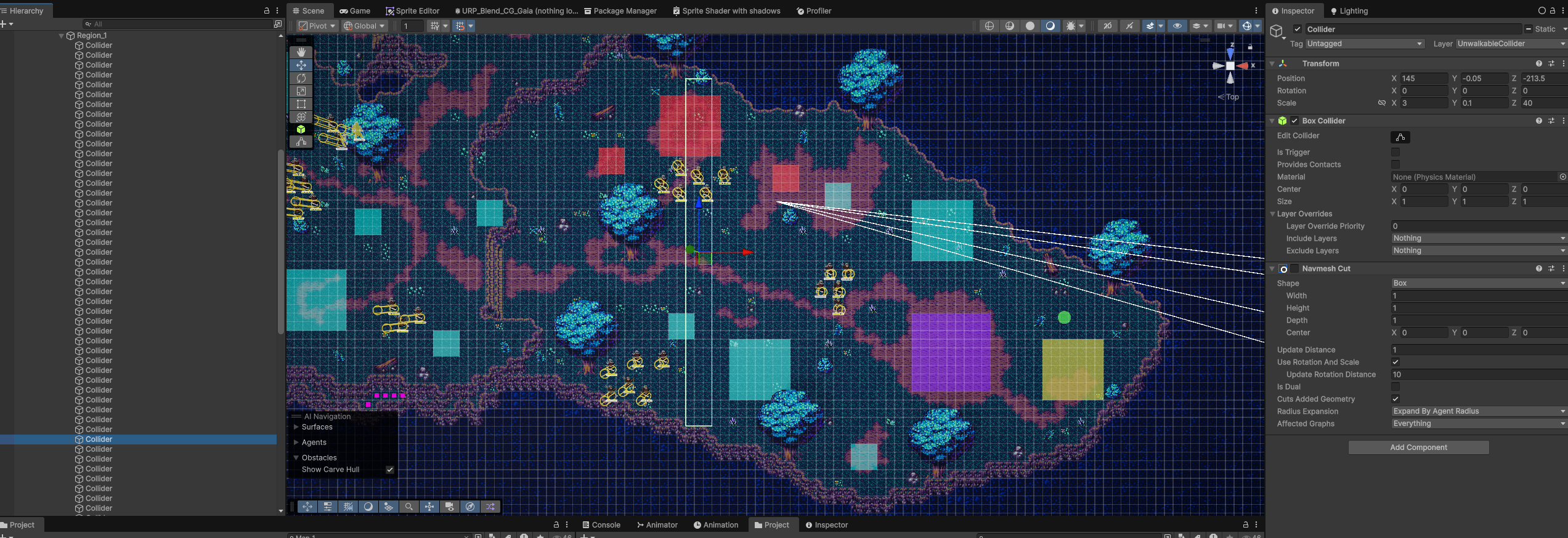
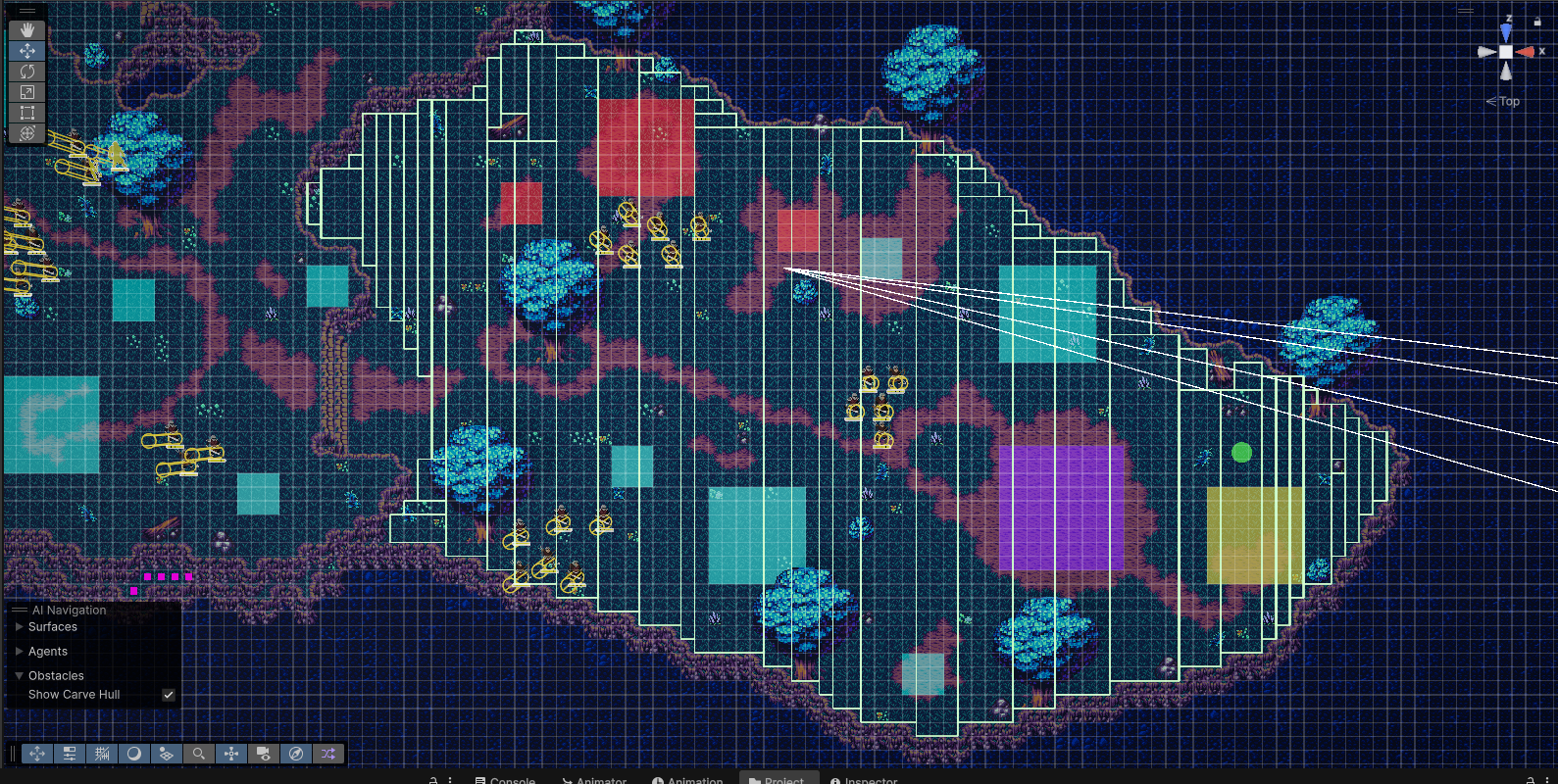
This is a Region (1 of 27), a selected “block” (used to generate the walkable-area for recast-graph. But also, if I want to disable an entire region, so can I enable all these NavmeshCuts-objects for that region.
Suggestions :/?
Ok, I have to postpone this update to unity 6.0, but I really want to use unity’s “critical patch” they encountered, so I need at least the latest “version” of my “version”, so i used 2022.3.xxxx, so need 2022.3.62f2, but it generate a runtime error:
System.IndexOutOfRangeException: Index -1 is out of range of ‘64’ Length. This Exception was thrown from a job compiled with Burst, which has limited exception support. 0x00007ff9102fdb6e (47e01d2f6e0ee7aa1f1c9bfd86b967e) burst_Abort_Trampoline 0x00007ff9102dbf99 (47e01d2f6e0ee7aa1f1c9bfd86b967e) Unity.Collections.NativeArray1<Unity.Mathematics.float3>.FailOutOfRangeError (at E:/Programmering/Projekt/Unity/Myriad Mayhem/Library/PackageCache/com.unity.burst@1.8.21/.Runtime/unknown/unknown:0) 0x00007ff9102da1bb (47e01d2f6e0ee7aa1f1c9bfd86b967e) Pathfinding.RVO.JobRVOCalculateNeighbours1<Pathfinding.RVO.XZMovementPlane>.CalculateNeighbours (at E:/Programmering/Projekt/Unity/Myriad Mayhem/Library/PackageCache/com.unity.burst@1.8.21/.Runtime/Library/PackageCache/com.arongranberg.astar@5.1.4/Core/RVO/RVOAgentBurst.cs:409) 0x00007ff9102d9a00 (47e01d2f6e0ee7aa1f1c9bfd86b967e) Pathfinding.Jobs.JobParallelForBatchedExtensions.ParallelForBatchJobStruct1<Pathfinding.RVO.JobRVOCalculateNeighbours1<Pathfinding.RVO.XZMovementPlane>>.Execute(ref Pathfinding.RVO.JobRVOCalculateNeighbours1<Pathfinding.RVO.XZMovementPlane> jobData, System.IntPtr additionalPtr, System.IntPtr bufferRangePatchData, ref Unity.Jobs.LowLevel.Unsafe.JobRanges ranges, int jobIndex) -> void_3c9750c65fc0064c80b8522f1648894f from AstarPathfindingProject, Version=0.0.0.0, Culture=neutral, PublicKeyToken=null (at E:/Programmering/Projekt/Unity/Myriad Mayhem/Library/PackageCache/com.unity.burst@1.8.21/.Runtime/Library/PackageCache/com.arongranberg.astar@5.1.4/Utilities/IJobParallelForBatched.cs:42)
And I assume it is a bug related to burst newer version, so I went over the patch log and saw 5.3.2 say:
”Fixed an out of range exception that could happen when using local avoidance and the latest burst package was installed (it was optimizing away my error checking!).”
So assume it solve it, but using it, creates those initial issues above, so I tried earlier burst-version, but not sure why, but my input-listener stopped worked after that. Soo not reverting that again (even tried to put it back to the latest burst version, but with still same error). Sooo, now I’m gonna try earlier A* Pathfinding versions, and hopefully it solves it :(.
Ok, solved the blasted InputSystem “bug”, newer version need to “Enable” the actions, on their documentation-pages, they say you can enable whole sets (e.g. i have a set for Menu, InGame and Global). But that doesn’t seem to work. And only the “default” set is enabled by default, not the rest
So after you bind all your keys, store them in a list or something and just iterate over it & .Enable() each one. e.g.:
	private void EnableAllActions()
	{
		foreach (InputAction l_Action in M_Actions.Values)
		{
			l_Action.Enable(); // enables each action
		}
	}
So I’ll be continue my progress on this thread, for anyone else getting stuck with all these shenanigans :P.
Another update, I tried the version 5.3.2 - the one that I think solves the burst runtime error, but now already I have those insane large startup-time & NavMeshCut GameObjected “Disabled” (recalculating whole RecastGraph?).
That means, that lag-spike is from a patch between 5.1.4 → 5.3.2, Time to find out which, so I know what to tackle
Another update! 5.2.1 was the culprit for the large lag spike! Lets see if we can determine WHY :). - FYI the Burst crashbug is still here (is solved with higher version).
Ok, another update - It seems it’s only the first building with NavMeshCut that makes the large lag-spike, doesn’t it know that I have already loaded a map using DeserializeGraphs(bytes) !?
I have disabled the auto-updater with:
M_Pathfinder.navmeshUpdates.updateInterval = -1;
And instead manually update the navmesh with:
M_Pathfinder.navmeshUpdates.ForceUpdate();
every time i destroy / place building. But only first one creates the big lagspike? More investigation is needed…
Solved! #1 - it seems I had to “update” either my RecastGraph settings (on the component), because after fiddling with those stats, so did it go away? It was like the Pathfinding Graph forgot I had already loaded a graph, felt like “-Building with NavMeshCut destroyed, do we have a Navmesh to update? update it, if not - Rescan the whole map.”.
Oh yeah, forgot, there was one thing, the Recast-grap’s / Save & Load / Cache startup was toggled back to “ON” again. That helped a bunch.
#2 - I tweaked the quality of the map, so larger… Voxel size & smaller Tile-size did the trick.
#3 - Ok, good news and bad news, found how to load a map on multiple threads, sadly it seems to only works if you “scan” a map, not loading an already “saved map” (a link to example code):
But damn, that was a nasty rollercoaster.
1 Like
WOW, I wouldn’t call this a rollercoaster, I’d call it an adventure epic  This was a good informative read though, and I very much appreciate you posting your findings as you went along. This information helps a lot to have searchable publicly on the forum. #1 and #2 seem to be solved, but I’ll go ahead and quickly tag @aron_granberg on your third question about loading maps asynchronously– I didn’t find anything myself when I looked about it, but I may be overlooking something!
Again, thanks plenty for documenting this whole experience. Highly appreciated.
1 Like
Thank you, you made my day :.D! Glad it is of some use!
Oh and notice a follow-up “issue”, I was using RichAI and AIPath AI, but they worked terrible in the new version (Getting stuck on the “terrain” / unwalkable area made by recastGraph all the time), but then remember he was working on a replacer (last year?), which I tried, and it worked flawlessly! Called FollowerEntity. And don’t need all those pesky components on top of previous one to work as well, all put together into one <3.
1 Like
Yeah FollowerEntity is insanely powerful! Hats off to Aron on making that